Still wrestling with complicated spreadsheets to manage your business's money? A free accounting system is simply a no-cost software built to handle financial tasks like invoicing, tracking expenses, and creating reports automatically. Think of it as finally swapping out an old, dusty ledger for a smart financial co-pilot for your SME.
Why Your SME Needs a Free Accounting System
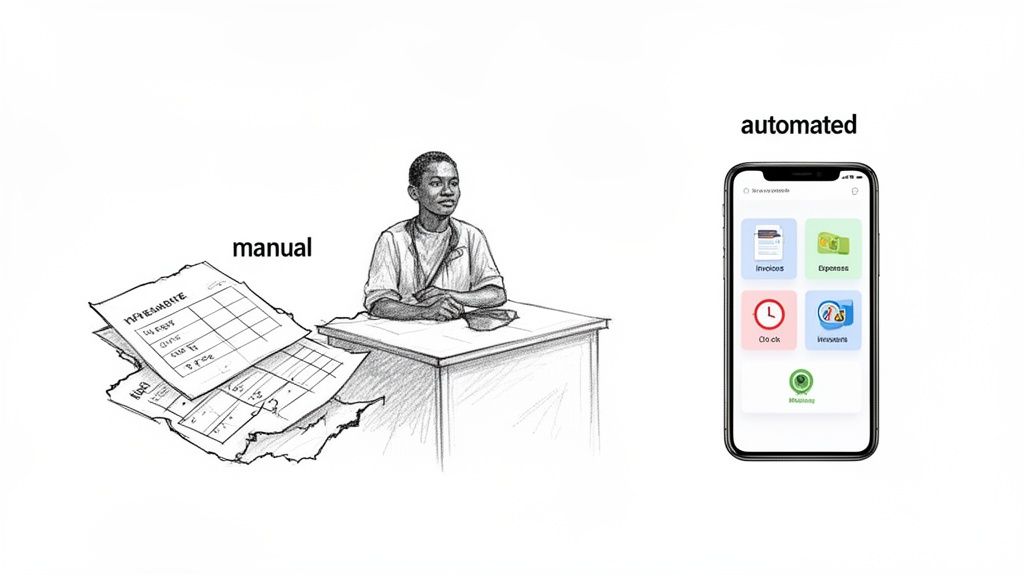
If you're running a small or medium-sized enterprise (SME) anywhere in Africa, you know the daily financial headaches all too well. Chasing down unpaid invoices, manually logging every single expense, and dreading tax season can feel like a full-time job on its own.
These manual processes aren't just a drain on your time; they're magnets for tiny errors that can put your business’s financial health at serious risk. According to a study by Forrester, businesses lose between 20-30% of revenue each year due to inefficiencies, many of which stem from manual financial processes.
Adopting a free accounting system is a huge step towards gaining control and looking more professional. Instead of drowning in paperwork or trying to make sense of tangled spreadsheets, you get a clear, live view of your money. This isn't really about "saving money" on software—it’s about winning back priceless time and gaining confidence in your numbers.
Moving Beyond Manual Methods
Lots of businesses start out using spreadsheets. It’s a common first step. In fact, a recent study pointed out that a staggering 83% of South African small business owners still use Excel for their accounting. This heavy reliance on spreadsheets shows just how much room there is for improvement and greater efficiency. You can dig into the findings and what they mean for businesses moving to cloud accounting technology by reading the full research here.
While Excel is familiar, it comes with some major headaches as your business grows. Let's do a quick side-by-side comparison.
Manual Spreadsheets vs Free Accounting System
| Feature | Manual Spreadsheets (e.g., Excel) | Free Accounting System |
|---|---|---|
| Data Entry | Completely manual; requires you to enter every transaction. | Automates data entry by linking to bank accounts and scanning receipts. |
| Accuracy | High risk of human error from typos or formula mistakes. Research indicates that nearly 90% of spreadsheets contain errors. | Significantly reduces errors with automated calculations and checks. |
| Real-Time View | Static; only updated when you manually input data. | Provides a live, up-to-the-minute view of your cash flow. |
| Invoicing | Requires manual creation of templates and tracking payments. | Creates, sends, and tracks professional invoices automatically. |
| Collaboration | Difficult and insecure to share; prone to version control issues. | Allows secure, multi-user access from anywhere. |
| Reporting | Building financial reports is a complex and time-consuming process. | Generates key financial reports (P&L, Balance Sheet) with one click. |
As you can see, the difference is night and day. Spreadsheets just can't keep up with the demands of a growing business.
A dedicated free accounting system automates these frustrating tasks. It acts as a single source of truth for your finances, ensuring your data is always accurate, secure, and up-to-date.
Ultimately, making the switch to a proper platform isn't just an upgrade; it's a fundamental change in how you manage and grow your business. It gives you the professional tools you need to compete, make smart decisions, and get back to focusing on what really matters—growth.
Key Features Your Accounting Software Must Have
Picking a free accounting system isn't just about grabbing a tool that costs nothing. It’s about choosing a partner with the right features to manage your money, get paid faster, and actually support your growth. Not all free options are created equal, so you have to know what's non-negotiable.
Think of it like building a house. You wouldn’t worry about the paint colour before you’ve poured a solid foundation. For your business, that foundation is a core set of features that handles the day-to-day financial grind reliably and efficiently. Let's dig into what those foundational features really are.
Invoicing and Payment Processing
Getting paid is the lifeblood of any business. It sounds obvious, but your accounting system needs to be brilliant at this. You should be able to create and fire off professional-looking invoices in just a few clicks. That means adding your logo, tweaking the fields, and—crucially—setting up automated reminders to gently chase those late payments for you. Research shows that automated reminders can speed up payment times by as much as 33%.
But an invoice is only half the battle. The other half is making it ridiculously easy for your clients to pay you. This is where payment gateway integrations become a deal-breaker, especially in the diverse African market. You need to support the methods your customers actually use.
- Mobile Money: Look for built-in support for giants like M-PESA. A client in Kenya should be able to pay your invoice straight from their phone, no excuses.
- Pan-African Gateways: For any business working across Nigeria, Ghana, South Africa, and beyond, support for platforms like Flutterwave and Paystack is a must.
- Global Options: Don't forget international clients. Having Stripe or PayPal ready to go means you can accept payments from anywhere in the world without a headache.
A system like CRM Africa that builds these payment options right in turns your invoice from a static document into an instant payment tool, slashing your payment cycles.
Multi-Currency and Financial Reporting
As your business expands, you’ll inevitably start dealing with clients or suppliers in neighbouring countries. A system that’s locked into a single currency will become a massive bottleneck, fast. Multi-currency support is what lets you send an invoice in US Dollars, Kenyan Shillings, or Nigerian Naira, all while keeping your own books tidy in your home currency. It makes cross-border trade a breeze and makes your business look far more professional.
Of course, getting the money in is one thing; you also need to know where it's all going. A solid accounting platform has to generate the essential financial reports for you, automatically.
A good system translates your daily transactions into clear, actionable insights. With one click, you should be able to see your profit and loss, check your balance sheet, and understand your cash flow without needing an accounting degree.
These reports are absolutely vital for making smart business decisions, applying for loans, and staying on the right side of the tax man. Proper management of your incoming funds is crucial, and you can explore more about this by reading our detailed guide on accounts receivable accounting.
At the end of the day, a powerful free accounting system isn't just a record-keeper; it’s a partner in your business's financial health. By making sure it has these core features, you'll be well-equipped to manage your finances today and scale your operations tomorrow.
So, you're looking for a free accounting system. It’s easy to get drawn in by the "free" sticker price, but choosing the right software is a lot more than just saving a few rand today. Think of it as hiring a financial partner for your business—a decision that will stick with you as you grow.
To make a smart choice between popular options like Wave, Zoho Books, or our own CRM Africa, you need a solid plan. This isn't just about ticking off features; it’s about finding a tool that genuinely fits your business now and where you plan to be in a few years.
A great starting point is getting a feel for the landscape. Diving into a good guide on the best free bookkeeping software can give you a solid overview of what's out there before you start comparing specifics.
How To Choose The Right System For Your Business
Treat this like a pre-flight check for your business’s financial engine. Getting this right from the start will save you a world of headaches down the road. Let’s break down what you absolutely need to look for.
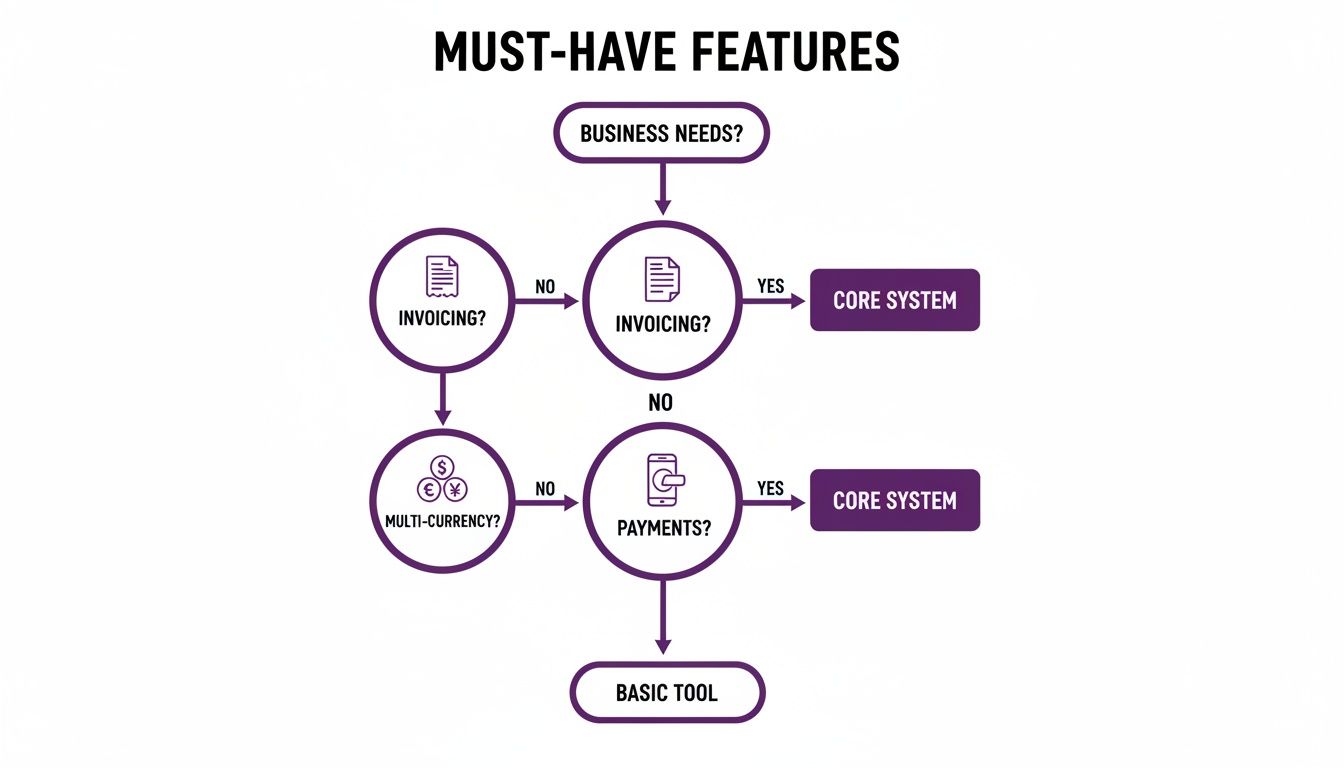
As you can see, the non-negotiables are things like invoicing, handling different currencies, and actually getting paid. Don’t compromise on these basics.
To help you dig a bit deeper, we've put together a checklist. Use this to measure each platform against what your business truly needs to thrive in the African market.
Free Accounting System Evaluation Checklist
This table is designed to cut through the marketing fluff and help you focus on what really matters when you're a growing SME.
| Evaluation Criteria | What to Look For | Why It Matters for African SMEs |
|---|---|---|
| User and Client Limits | How many team members and clients can you add on the free plan? Are there transaction or invoice limits? | Many free plans feel generous at first but quickly become restrictive. You need room to grow without hitting a paywall unexpectedly. |
| Payment Gateway Integrations | Does it support local payment methods like M-PESA, Flutterwave, or Paystack out of the box? | Your customers want to pay you in the way that’s easiest for them. Not supporting their preferred method is a direct barrier to getting paid. |
| Multi-Currency Support | Can you invoice and receive payments in multiple currencies (e.g., USD, KES, ZAR)? Is the exchange rate handling clear? | As you expand across borders, this becomes essential. It simplifies business with international clients and suppliers. |
| Customer Support | Is there a real person you can talk to, or are you limited to forums and knowledge bases on the free plan? | When a payment is stuck or an invoice won't send, waiting for a forum reply isn’t an option. Accessible support is a lifesaver. |
| Mobile Money & USSD | Does the system integrate with mobile money wallets and offer USSD functionality for offline access? | In many parts of Africa, mobile money is king. Direct integration is a massive advantage for reaching more customers. |
| Scalability & Upgrade Path | What happens when you outgrow the free plan? Is the next step affordable, or is there a huge price jump? | The goal is to grow! Make sure the platform can grow with you without breaking the bank. |
Choosing a system is a balancing act. Make sure the features you get for "free" are the ones that actually help you run your business, not just a collection of nice-to-haves with crippling limitations.
Standalone Tool vs. All-in-One Platform
Another big question you'll face is whether to go for a dedicated accounting tool or an all-in-one platform. A standalone tool might be brilliant at one thing, like invoicing, but it often creates messy data silos. Suddenly you're trying to sync information between your accounting software, your CRM, and your project management app. It gets complicated, fast.
An all-in-one system like CRM Africa brings all these functions under one roof. Your financial data lives alongside your client history and project timelines. This means you can, for example, generate an invoice straight from a project without having to switch apps and re-enter data. To see exactly how that works, have a look at our guide on free invoicing software.
An integrated platform gives you a single source of truth. You don't just see how much money you're making; you see exactly which clients and projects are driving that revenue and how profitable they really are.
This integration is more important than you might think. There’s a curious gap between having modern tools and actually using them effectively. For instance, while 86% of South African accounting firms report using cloud software, it’s only applied in 59% of their client engagements.
This shows that just owning the software isn’t enough. If it isn’t integrated and easy to use, it won't get used. You can learn more about these findings on technology adoption. By making a thoughtful choice now, you set your business up with a tool that won’t just sit on the shelf—it will actively help you grow for years to come.
Understanding the Limits of a Free Plan
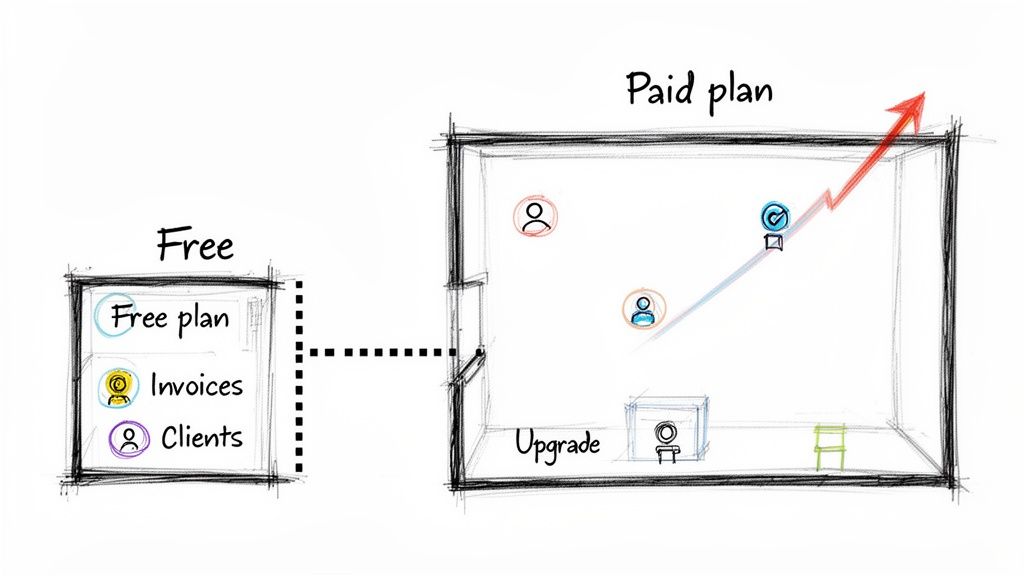
While a free accounting system is a fantastic way to get your business finances in order, it's important to see it for what it is: a starting line, not the finish line. Most of this software runs on what’s known as a freemium model. Think of it like a starter flat—it has all the basics you need to live, but as your family (or business) grows, you’re eventually going to need more space and better features.
Software companies offer these free versions to let you get a real feel for their platform. The hope is that as your business succeeds, you’ll naturally grow into one of their paid plans. This isn't just a hunch; research on bookkeeping software like QuickBooks shows that even for non-profits, paid plans become essential for full functionality. So, realise that these free plan limits are a deliberate and normal part of the business model.
Where You Will Feel the Pinch
The limitations are cleverly designed to become more apparent right when your business starts to take off. Your own success is often the very thing that nudges you toward an upgrade.
- User and Transaction Caps: A free plan might only allow one or two users. The minute you need to bring your accountant or a new team member on board, you’ve hit a paywall. The same goes for the number of invoices you can send each month or the number of clients you can manage.
- Feature Restrictions: Sure, you'll get the essentials like basic invoicing and expense tracking. But the tools you really need to scale—things like automated tax reports, project profitability tracking, or advanced multi-currency support—are almost always kept behind the paywall.
- Limited Customer Support: With a free plan, your support is usually limited to digging through a knowledge base or posting on a community forum. When you face a critical issue, like a payment failing to process, you won't have the luxury of priority phone or live chat support to resolve it quickly.
You can see this model everywhere. For example, FreshBooks structures its plans around the number of clients you have, and even platforms like Wave, which start free, have paid add-ons for essential services like payroll and payment processing.
Recognising It Is Time to Upgrade
So, how do you know when you've outgrown your starter flat? The signs are usually pretty obvious. You start spending more time building clumsy workarounds than actually doing productive work. You might find yourself manually tracking data in spreadsheets that the software could be automating, if only you had that one locked feature.
The moment your accounting system creates more administrative friction than it removes, it's time to upgrade. A predictable pricing path is vital to avoid being caught by surprise with a sudden, expensive bill just because your business is doing well.
This is why choosing a platform with a fair and transparent upgrade path is so crucial. Some systems have a massive jump in cost from their free to their first paid tier, while others offer a more gradual climb. An all-in-one platform like CRM Africa gives you a clear advantage here. It offers a generous free plan and a logical path to scale your operations. Unlike many point solutions, it integrates accounting with CRM and project management, so when you do decide to upgrade, you’re investing in a single system that grows with every part of your business.
Connecting Accounting to Growth with CRM Africa
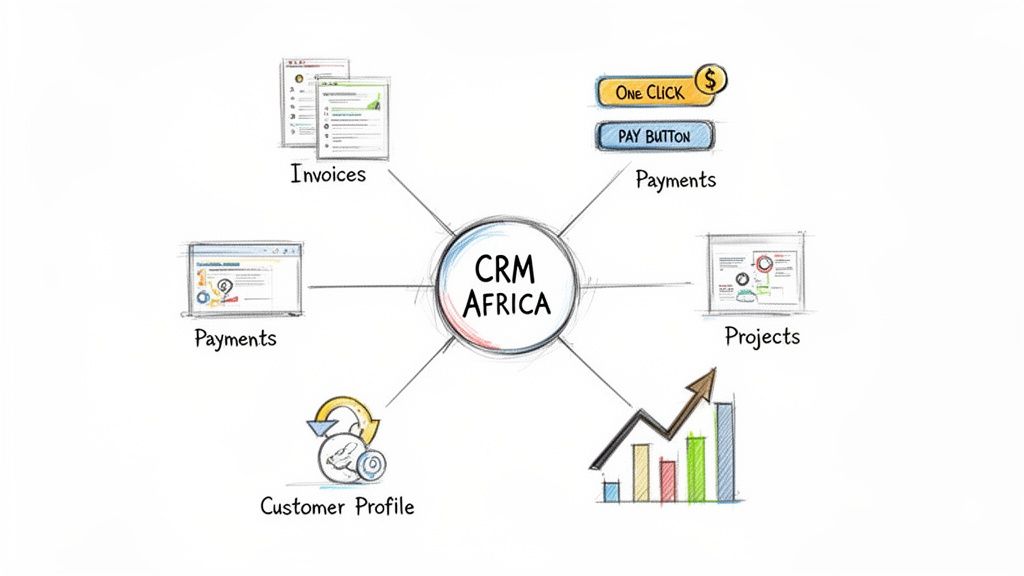
What if your free accounting system could do more than just track numbers? Real growth kicks in when your finances aren't stuck in a corner, but are wired directly into your sales pipeline, client relationships, and day-to-day projects. This is where your software stops being a simple tool and starts acting like a growth partner.
Too many businesses juggle separate apps for accounting, another for managing customers (a CRM), and yet another for projects. It's a common setup, but it quickly creates digital walls. Critical information about a client’s payment history or a project's profitability gets trapped in different systems, forcing you to manually piece everything together. It's a time-drain and a recipe for mistakes.
An all-in-one system like CRM Africa is designed to tear down those walls. It's not just a free accounting system—it’s a unified dashboard that brings your money, your customers, and your projects into one place.
A Single Source of Truth for Your Business
Picture this: you send a professional invoice to your client in Nairobi, who pays it instantly with a single click using M-PESA. In that same moment, you can pull up their entire project history, see how their current tasks are progressing, and trace their full journey from a lead to a loyal customer.
This kind of synergy means no more switching between disconnected tools. You get a complete, 360-degree view of your business's health, helping you understand the true value and profitability of each client relationship, not just the payments they make.
This integrated approach also makes you look incredibly professional. With CRM Africa, you can give each client their own branded online portal. They can log in to track project updates, view and pay their invoices, and chat directly with your team. It's a game-changer for building trust and keeping clients happy. You can find out more about putting this together with our guide on free invoicing and CRM.
From Financial Tracking to Strategic Automation
When your accounting and CRM systems talk to each other, you unlock a new level of efficiency. With all your data in one place, you can start automating workflows that were previously impossible. For example, once a project milestone is checked off, an invoice can be created and sent out automatically. When that invoice gets paid through Flutterwave or Stripe, the project's status can update itself.
For businesses looking to really dial in their efficiency, exploring custom CRM and automation development can connect even more dots, turning your system from a simple record-keeper into an active engine for growth.
While several platforms combine these functions, they aren't all built the same:
- CRM Africa: Uniquely built for the African market with mobile money payments baked right in and a free-forever plan that covers all the essentials for small teams.
- HubSpot: Famous for its best-in-class CRM and marketing tools, which can integrate with various accounting platforms.
- Zoho: Offers a massive suite of business apps, including powerful CRM and accounting tools that can be wired together.
- Salesforce: An enterprise-grade CRM that connects with accounting systems like Accounting Seed, perfect for larger operations needing a unified view.
- Odoo: An open-source suite of business apps, including CRM and accounting, that offers deep customisation possibilities.
By picking a platform that connects your money, your clients, and your work, you’re setting your business up to do more than just survive—you're preparing it to scale intelligently.
Of course. Here is the rewritten section, crafted to sound completely human-written and natural, following the provided style guide and examples.
Your Top Questions, Answered
Jumping into the world of free accounting software can bring up a few questions. That's completely normal. Getting solid answers is the first step to picking the right platform and, more importantly, using it with confidence. Let's tackle some of the most common things we hear from small business owners who are thinking about making the switch.
"Can I Really Trust Free Software With My Financial Data?"
This is probably the most important question on your mind, and rightly so. The short answer is yes—as long as you partner with a reputable provider.
Established platforms like CRM Africa and Wave don't just offer software; they offer a service built on trust. They invest heavily in top-tier security to protect your sensitive financial information. Think of it this way: your data is often safer on a secure, cloud-based platform than on a lone spreadsheet saved to your computer's hard drive.
They use industry-standard measures to keep your information locked down:
- Data Encryption: This essentially scrambles your data into an unreadable code while it's being stored or sent over the internet, making it useless to anyone without the key.
- Secure Servers: Your numbers aren't just sitting on a spare server in a back room. They're housed in highly protected data centres with serious physical and digital security.
- Transparent Privacy Policies: Always have a look at the privacy policy. A trustworthy company will be upfront about how your data is handled, used, and protected.
"If I Use This Software, Do I Still Need My Accountant?"
Absolutely. A free accounting system is a fantastic tool for handling the daily grind, but it’s no replacement for a qualified accountant.
Think of it like this: the software is your tireless financial assistant, while your accountant is your financial strategist.
Your new accounting system will be brilliant at:
- Firing off invoices and keeping track of who's paid.
- Logging every expense and neatly categorising transactions.
- Putting together clean, organised financial reports at the click of a button.
Your accountant takes all that beautifully organised data and uses it to provide high-level advice. They'll help with strategic tax planning, ensure you're compliant, and offer insights into the financial health of your business that software alone can't see. Many platforms, like QuickBooks Online, are even built to make this partnership seamless, letting you give your accountant secure access to your books.
"How Hard Is It to Actually Switch From My Spreadsheets?"
The move is so much easier than you're probably imagining. Modern accounting software is designed for people, not just accountants. Most platforms, including Zoho Books, know that tons of their users are coming straight from manual methods, and they’ve built tools to make the change a smooth one.
You'll find that most systems have intuitive dashboards, step-by-step setup wizards, and plenty of support guides. You can usually import your existing data—like your client list or outstanding invoices—directly from a CSV file. This alone can save you hours of mind-numbing data entry.
Look for a system that offers good onboarding support or video tutorials to walk you through it. A little bit of effort up front to get your new system humming will pay you back over and over again in time saved and errors avoided down the line.
Ready to see how an all-in-one platform can connect your accounting to every other part of your business? With CRM Africa, you can manage clients, projects, and finances in one place, and get paid faster with integrated local payment gateways.