
Managing customer relationships with a spreadsheet is a common starting point for many small businesses. However, as your client base grows, this manual approach quickly becomes a bottleneck. Juggling scattered notes, tracking follow-ups in a calendar, and manually generating invoices consumes valuable time that could be spent on growth-focused activities. Important client details can fall through the cracks, leading to missed opportunities and a disjointed customer experience. This is precisely the problem that a dedicated Customer Relationship Management (CRM) platform is designed to solve.
A CRM organises all your customer data, interactions, and sales activities into one centralised hub. It automates repetitive tasks, provides clear visibility into your sales pipeline, and offers insights that spreadsheets simply cannot. Research indicates that CRM software can increase sales by up to 29% and improve sales forecasting accuracy by 32% (Salesforce, 2021). For businesses in Africa, specific needs like integrating with mobile money platforms (e.g., M-PESA) or managing client projects across diverse markets add another layer of complexity. Finding the best CRM for your small business means selecting a tool that not only streamlines your current processes but also supports your unique operational and regional requirements.
This guide moves beyond generic advice to provide a comprehensive, comparative look at the top CRM solutions available today. We will analyse seven leading platforms, from locally-focused powerhouses like CRM Africa to global giants such as HubSpot and Salesforce, specifically through the lens of a small to medium enterprise. Each review includes detailed feature breakdowns, pricing analysis, screenshots, and direct links to help you make an informed decision. We will explore practical use cases tailored for agencies, sales teams, and service-based businesses in markets like Nigeria, Kenya, Egypt, and South Africa, ensuring you find a platform that truly fits your needs.
1. CRM Africa: The All-in-One Operating System for African Businesses
CRM Africa stands out as a powerful contender for the best CRM for small business, particularly for enterprises operating within the African market. It transcends the traditional definition of a CRM, positioning itself as a comprehensive business operating system. The platform elegantly integrates customer relationship management with project management, professional invoicing, digital contracts, and inventory control, all accessible through a single, unified interface. This all-in-one approach directly addresses the common small business challenge of “app sprawl,” eliminating the need to stitch together multiple, often incompatible, software tools.
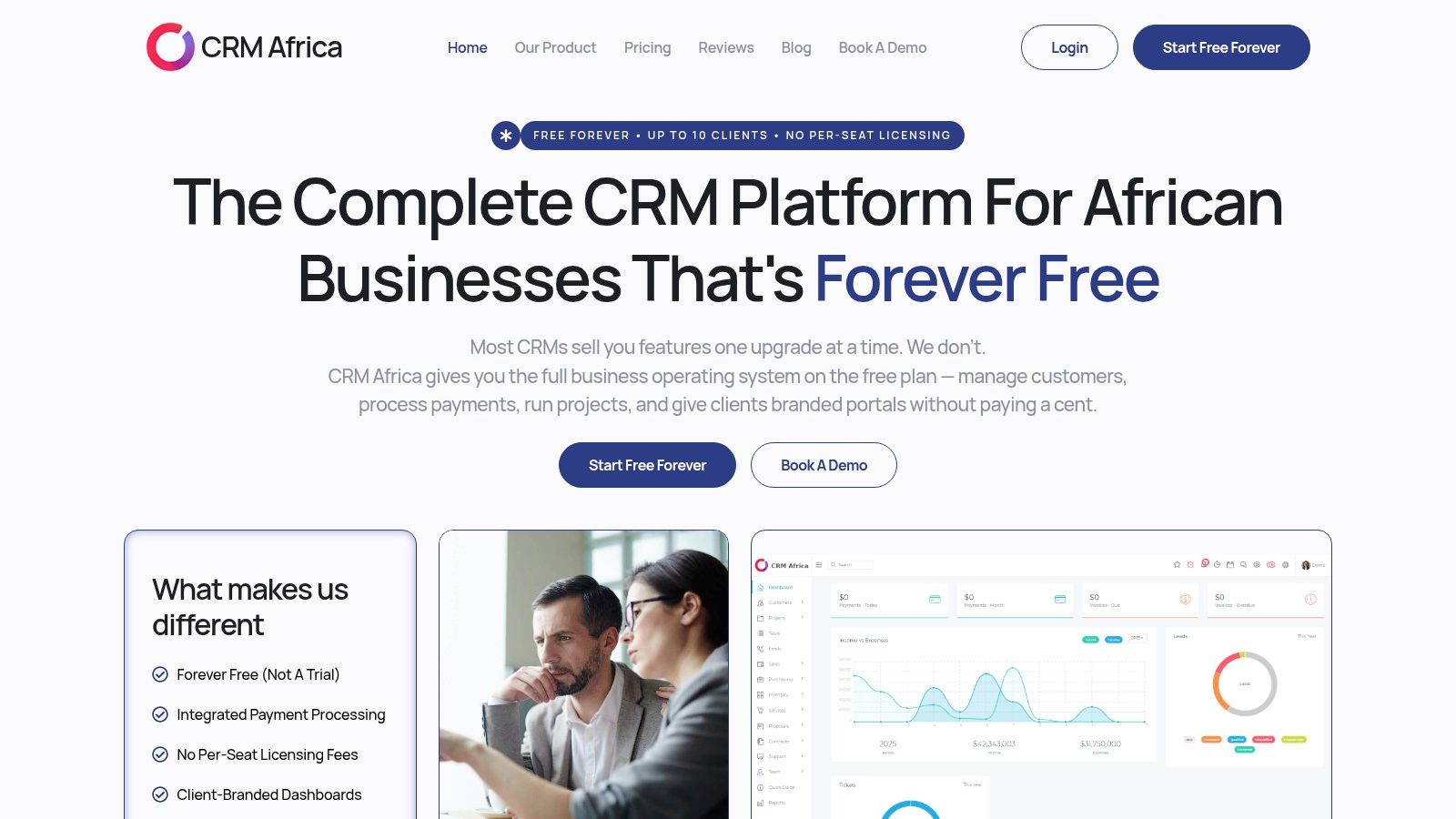
The platform’s most significant differentiator is its deep, practical regionalisation for the African continent. Unlike global CRMs that may offer limited third-party integrations, CRM Africa provides native support for pan-African payment rails. This is a game-changer for any business grappling with fragmented payment ecosystems. According to a GSMA report, mobile money transactions in Africa grew to $832 billion in 2022, underscoring the necessity of such integrations.
Key Strengths and Use Cases
Seamless Pan-African Payments:
The core value proposition lies in its integrated payment system. CRM Africa supports mobile money services like M-PESA and major gateways including Flutterwave, Paystack, and Pesapal. This allows businesses to:
- Enable One-Click Invoice Payments: Clients can settle invoices instantly using their preferred local payment method, dramatically reducing payment friction and improving cash flow.
- Automate Reconciliation: Payments are automatically recorded and reconciled against the corresponding invoice, saving hours of manual administrative work and reducing human error.
- Receive Real-Time Notifications: Stay informed the moment a payment is made, enabling faster project kick-offs or product shipments.
A True All-in-One Platform:
By combining essential business functions, CRM Africa provides a 360-degree view of operations. A small marketing agency, for example, can manage a lead in the visual sales pipeline, convert them into a client, send a proposal with e-signatures, manage the project with task assignments, invoice for milestones, and track payments without ever leaving the platform. This consolidation is not just convenient; it provides clearer business intelligence and operational efficiency.
Client-Centric Professionalism:
CRM Africa boosts your professional image with secure, custom-branded client portals. These mobile-responsive dashboards give your clients a transparent window into their projects. They can track progress, view and pay invoices, approve proposals, and communicate with your team directly. This level of transparency builds trust, improves client retention, and empowers clients to self-serve, reducing your administrative burden. A study by SuperOffice found that 86% of buyers are willing to pay more for a great customer experience, which such portals facilitate.
Expert Insight: The ability for clients to view project progress and settle invoices in the same branded portal significantly speeds up the collections cycle. Businesses using the platform have reported tangible improvements, such as a 60% revenue increase in six months and a 40% reduction in project delays.
Pricing Structure and Scalability
CRM Africa’s pricing model is exceptionally friendly for startups and growing teams. The platform deliberately avoids the common “per-seat” licensing fee that can become prohibitively expensive as a team expands.
- Free Forever Plan: A generous free tier provides a fully functional stack for small teams, making it an accessible entry point for businesses looking for the best CRM for small business without an initial investment.
- Paid Tiers: As your business grows, you can move to paid plans like Kick Start (approx. $70/mo), Thunder (approx. $100/mo), or Enterprise (approx. $299/mo) to access higher limits and advanced features. Annual billing offers a discount.
Pros and Cons
| Strengths (Pros) | Considerations (Cons) |
|---|---|
| Region-First Payments: Native mobile money and major African gateway support simplifies collections and reconciliation. | Unclear Free Plan Limits: Some advertised limits (e.g., up to 10 users) can appear inconsistent across different pages. It’s best to confirm exact caps. |
| Truly All-in-One: Combines CRM, projects, invoicing, contracts, inventory, and analytics, reducing software costs and complexity. | Gateway Transaction Fees: While CRM Africa doesn’t add fees, the payment gateways themselves charge transaction fees that vary by country and method. |
| No Per-Seat Licensing: Scaling your team doesn’t lead to escalating monthly costs, making it highly cost-effective for growth. | |
| Professional Client Portals: Custom-branded dashboards enhance client experience, transparency, and retention. |
To get a first-hand look, you can book a free demonstration or consultation. For the most current information on features and gateway fees in your country, visit the official product page.
Website: https://crm.africa
2. HubSpot Sales Hub (HubSpot CRM)
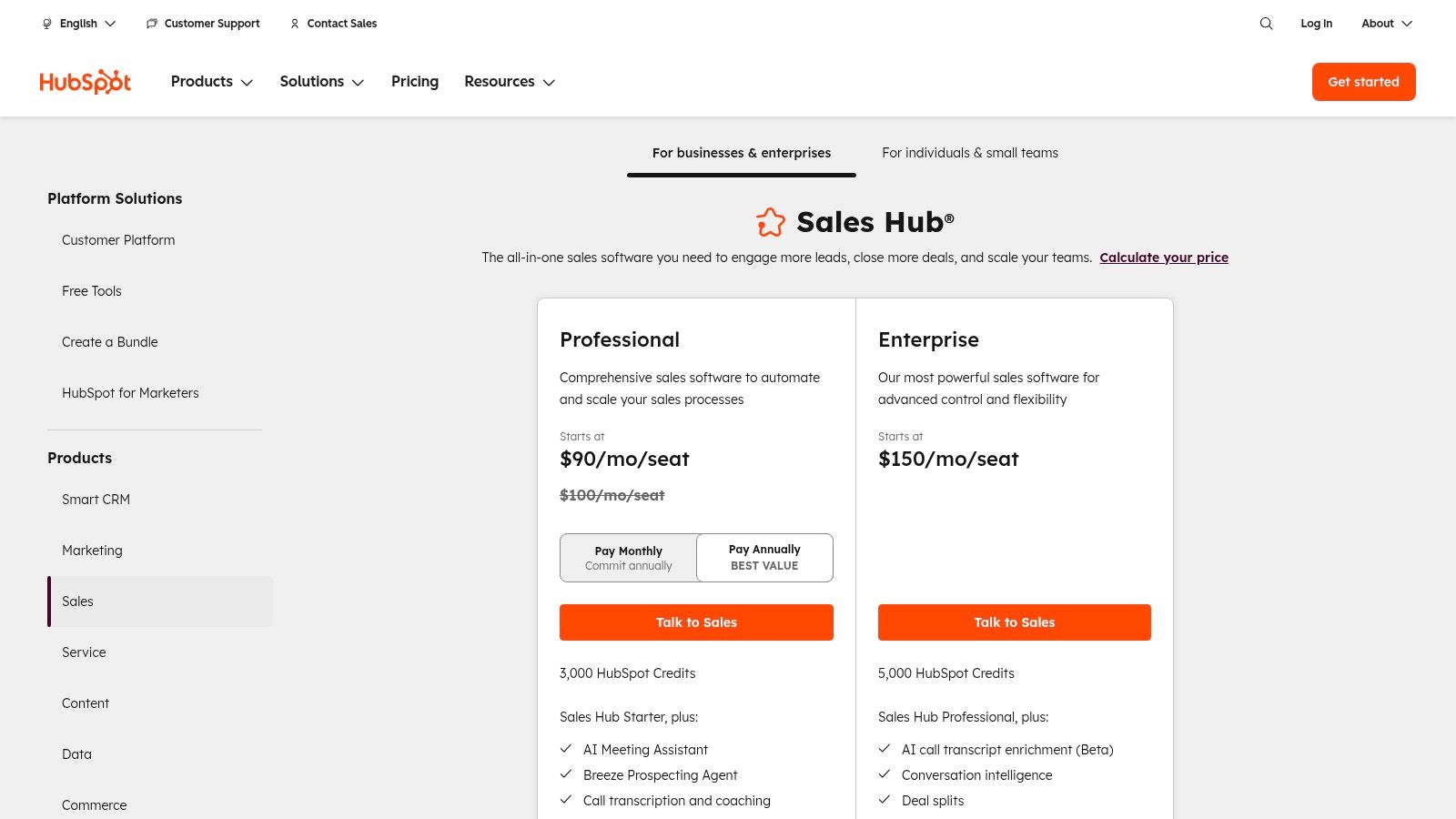
HubSpot is arguably one of the most recognisable names in the CRM space, and for good reason. Its platform is built around a powerful, perpetually free CRM that serves as the central database for its various “Hubs” – Sales, Marketing, Service, CMS, and Operations. This structure makes HubSpot Sales Hub an exceptional choice for small businesses in regions like Egypt, Kenya, and Nigeria that want to start without any initial cost and scale their capabilities as revenue grows. It provides a robust foundation for organising contacts, tracking deals, and managing customer interactions from day one.
What truly sets HubSpot apart is its user-centric design and unparalleled educational resources. The interface is clean and intuitive, significantly lowering the adoption barrier for teams unfamiliar with CRM software. HubSpot Academy offers a vast library of free courses and certifications, empowering small business owners to master not just the software but also broader sales and marketing principles. This focus on user enablement is a key differentiator. In fact, a study by Nucleus Research found that usability is a top driver of CRM return on investment.
Core Features and Pricing
HubSpot’s model is designed for scalability. You can begin with a comprehensive set of free tools and then add paid features as your operational needs become more complex.
| Tier | Key Features | Best For |
|---|---|---|
| Free Tools | Contact management, deal pipelines, meeting scheduler, email tracking & templates, live chat, reporting dashboard. | Startups and solo entrepreneurs needing basic contact organisation and sales tracking. |
| Starter | (From ~$15/seat/month) Adds simple automation, quoting, goals, and removes HubSpot branding. | Growing teams that require more efficiency tools and a professional customer-facing appearance. |
| Professional | (From ~$1,020/month for 5 seats) Adds advanced sales automation, custom reporting, sales analytics, and forecasting. | Established businesses looking to optimise their sales processes with data-driven insights and automation. |
Practical Implementation
For a small business, getting started is straightforward. You can import your existing contacts via a spreadsheet and immediately begin creating deals in the visual pipeline. A practical first step is to connect your email inbox (Gmail or Outlook) to start logging communications automatically. You can then set up your personal meeting link and share it with prospects, eliminating the back-and-forth of scheduling calls.
As you grow, you can explore more advanced functionalities. When evaluating HubSpot Sales Hub, consider how seamlessly it integrates with other tools. For instance, you can explore various options for a HubSpot live chat integration to streamline customer interactions directly from your website into your CRM. The extensive HubSpot App Marketplace offers hundreds of other integrations to connect the tools you already use. For a deeper look into its free offerings, you can explore detailed guides on using HubSpot as a free CRM for small businesses in South Africa.
Website: https://www.hubspot.com/pricing/sales
3. Salesforce Sales Cloud (Starter for Small Business)
Salesforce is a titan in the CRM industry, often associated with large enterprises, but its Starter Suite is specifically packaged to bring that enterprise-grade power to small businesses. For ambitious companies in markets like Nigeria, Kenya, or South Africa that foresee significant growth, Salesforce provides a platform that can scale with them indefinitely. The Starter Suite offers an all-in-one application that combines sales, service, and marketing tools, centred around core lead, account, contact, and opportunity management. This ensures a solid foundation for organising customer data and sales processes from the very beginning.
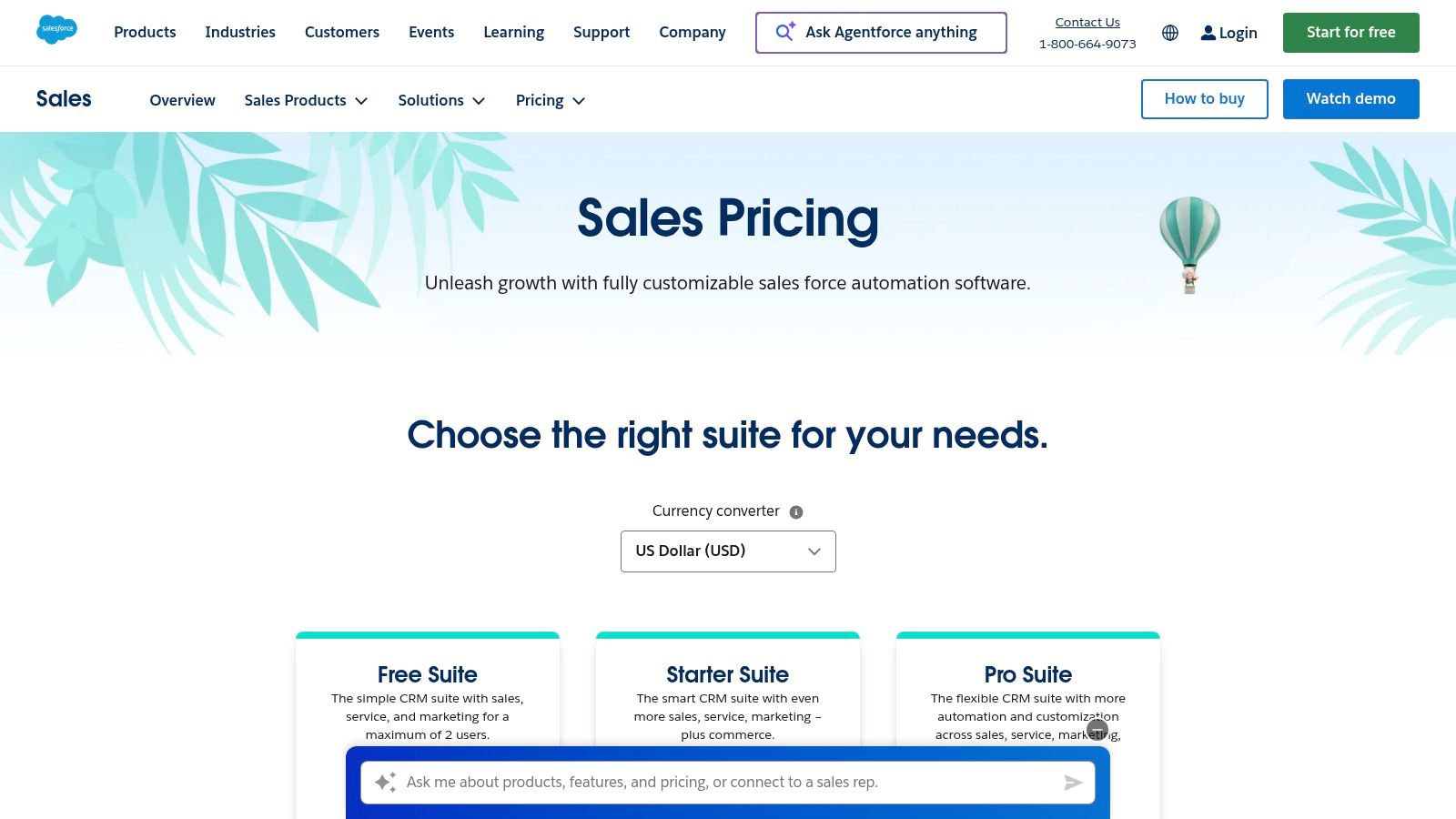
What distinguishes Salesforce is its unparalleled ecosystem and customisability. The Salesforce AppExchange is the world’s largest business app marketplace, offering thousands of integrations and add-ons to extend the CRM’s functionality. This means as your business needs evolve, you can almost certainly find an app to solve your challenge. While it can be more complex to configure than some competitors, this very depth is what makes Salesforce a long-term strategic investment, positioning it as one of the best crm for small business options for those with high-growth aspirations.
Core Features and Pricing
Salesforce organises its pricing to provide a clear upgrade path, allowing businesses to add more advanced capabilities like APIs and in-depth analytics as they scale.
| Tier | Key Features | Best For |
|---|---|---|
| Starter | (From ~$25/user/month) Lead, account, contact & opportunity management, email integration, customisable reports & dashboards, mobile app. | Small teams and startups needing a unified, powerful CRM to manage core sales and customer service activities. |
| Professional | (From ~$80/user/month) Adds sales forecasting, quote & contract management, and unlimited custom applications. | Growing businesses that need to formalise their sales processes and gain more control over their sales cycle. |
| Enterprise | (From ~$165/user/month) Adds advanced workflow automation, API access for deep integrations, and more extensive customisation options. | Established SMEs and scaling companies requiring sophisticated automation and integration with other business systems. |
Practical Implementation
A small business can start with the Starter Suite by importing contacts and customising the sales pipeline to match its unique process. Integrating your email client is a crucial first step to begin logging all customer communication automatically. You can then build basic reports and dashboards to get a clear, real-time view of your sales performance and key metrics. The mobile app is particularly useful for teams on the go, with research from Forrester showing that mobile CRM access boosts sales team productivity by an average of 14.6%.
As you become more comfortable, you can explore the AppExchange to connect tools for accounting, project management, or marketing. Properly leveraging a system like Salesforce involves more than just software; it requires robust client relationship management strategies to ensure you are building lasting connections. Its scalability means you won’t need to migrate to a new system in the future, saving significant time and resources as your company grows.
Website: https://www.salesforce.com/sales/pricing/
4. Zoho CRM
Zoho CRM is a powerhouse in the customer relationship management space, especially for small businesses looking for an affordable, all-in-one solution. It stands out by offering a deeply integrated ecosystem of over 40 business applications, from finance and HR to marketing and support. This “suite” approach makes it an ideal choice for businesses in Egypt, Nigeria, and South Africa that want a central platform that can expand its functionality as the company grows, eliminating the need to manage multiple, disconnected software subscriptions.
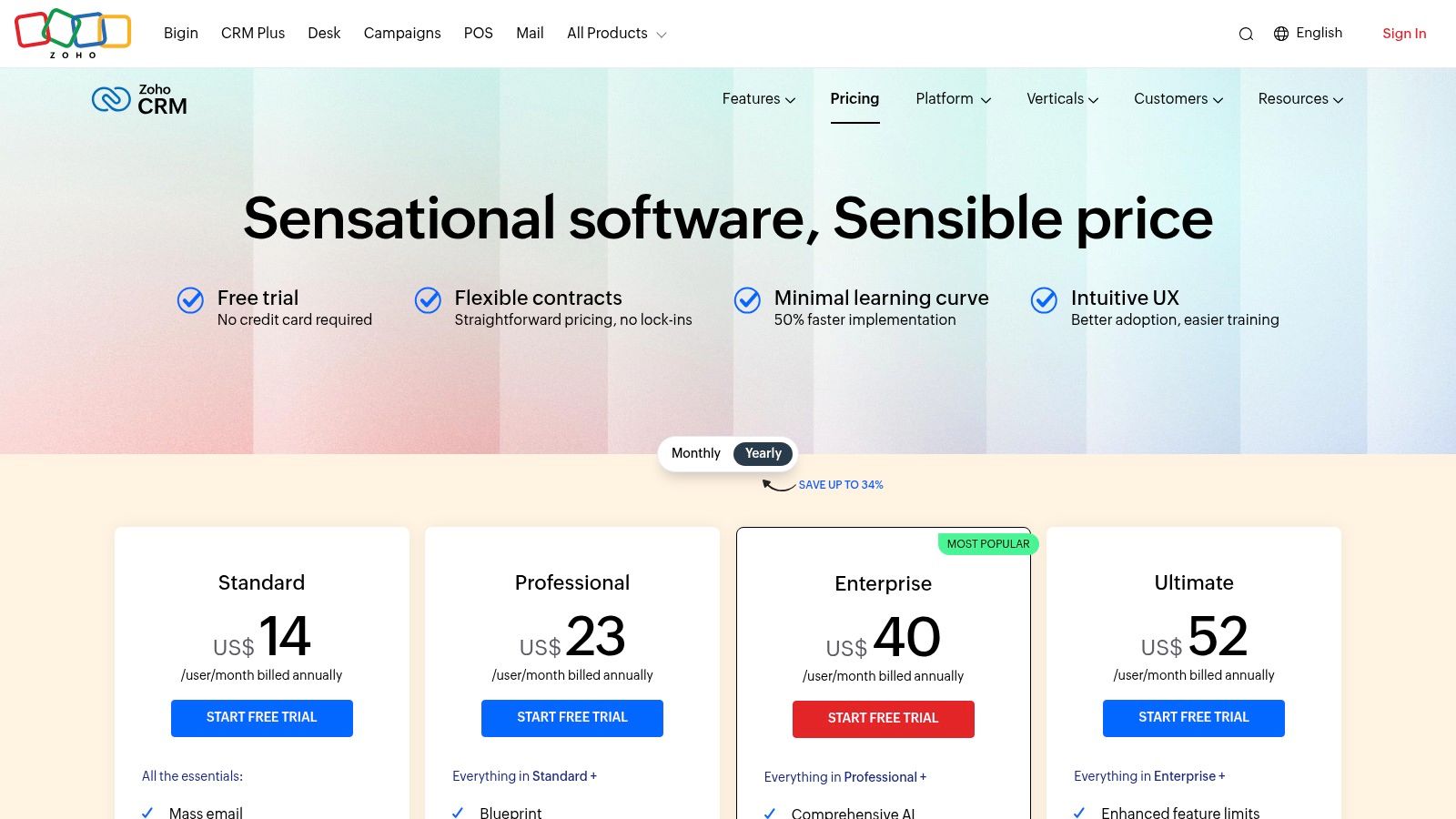
What makes Zoho CRM a contender for the best crm for small business is its remarkable balance of comprehensive features and competitive pricing. Even its free plan is generous, supporting up to three users with essential tools for lead, deal, and contact management. As you move up the tiers, you unlock powerful capabilities like workflow automation and the AI-powered assistant, Zia, which provides predictive insights and suggestions. This scalability ensures that Zoho can support your business from its earliest stages through significant growth phases.
Core Features and Pricing
Zoho’s pricing is straightforward and designed to offer value at every level. The ability to start for free and then upgrade to very reasonably priced plans makes it highly accessible.
| Tier | Key Features | Best For |
|---|---|---|
| Free Edition | Lead, contact, & deal management for up to 3 users, workflow rules, standard reports. | Freelancers and small teams just starting to formalise their sales process. |
| Standard | (From ~$14/user/month) Adds sales forecasting, custom dashboards, email insights, and mass email capabilities. | Growing businesses that need better sales visibility and basic marketing automation tools. |
| Professional | (From ~$23/user/month) Adds real-time customer notifications (SalesSignals), inventory management, and process management. | Established SMBs that need to manage sales processes and basic inventory from a single platform. |
| Enterprise | (From ~$40/user/month) Adds Zia AI assistant, multi-user portals, advanced customisation, and mobile SDK. | Data-driven businesses that want AI insights, deep customisation, and portal access for clients or partners. |
Practical Implementation
Getting started with Zoho CRM is quite intuitive. You can import your contacts from a spreadsheet and immediately begin customising your sales pipeline stages to match your business process. A great first step is to set up a workflow rule, for instance, to automatically send a welcome email to every new lead created in the system. This simple automation saves time and ensures consistent communication. According to McKinsey, 71% of consumers expect companies to deliver personalized interactions, which such automation facilitates.
As your team grows, you can leverage more of the Zoho ecosystem. For example, you can integrate Zoho Campaigns for email marketing or Zoho Desk for customer support, creating a unified view of every customer interaction. For many businesses still relying on less formal tools, understanding why a structured system like Zoho is superior is a critical step; you can learn more about why your business needs to graduate from the WhatsApp trap to see the benefits of a proper CRM. This integrated power is Zoho’s key advantage, offering enterprise-level functionality at a small-business price point.
Website: https://www.zoho.com/crm/zohocrm-pricing.html
5. Pipedrive
Pipedrive is a CRM built by salespeople, for salespeople, and that focus is evident in its design. It champions an activity-based selling methodology, prompting users to concentrate on the actions that drive deals forward. This makes it an excellent choice for small businesses, particularly in markets like Ghana and South Africa, that need a straightforward, visually-driven tool to organise their sales process and ensure no opportunity falls through the cracks. The platform is celebrated for its simplicity and rapid implementation time, allowing teams to get up and running in minutes, not weeks.
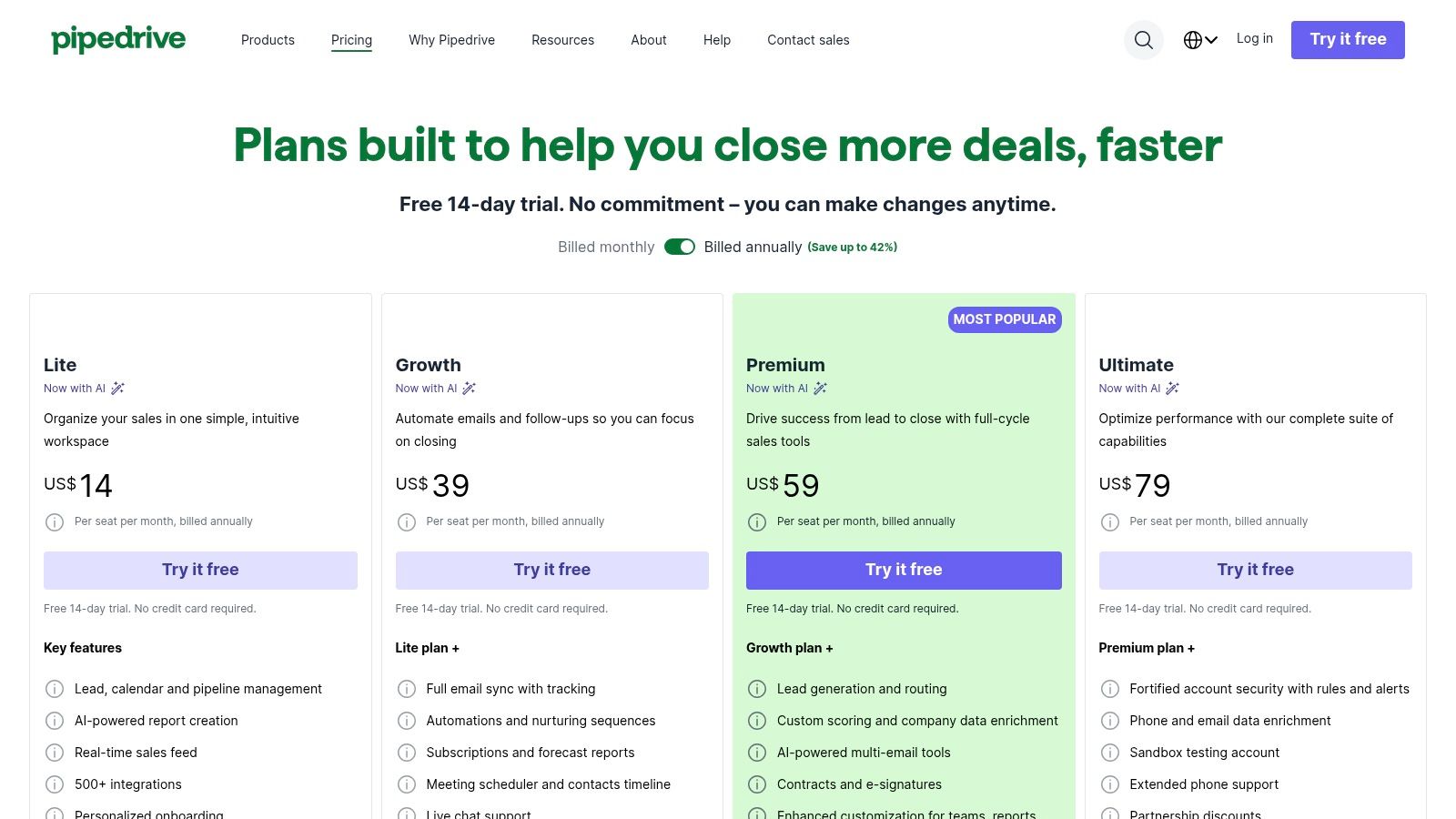
What truly distinguishes Pipedrive is its laser focus on the sales pipeline. The drag-and-drop interface is one of the most intuitive on the market, making it incredibly easy to track deal progress, schedule activities, and forecast revenue. Unlike more complex, all-in-one platforms, Pipedrive does one thing exceptionally well: it helps sales teams visualise and manage their pipeline with absolute clarity. This specialisation, combined with a modular approach featuring optional add-ons, makes it a powerful and uncluttered solution.
Core Features and Pricing
Pipedrive’s pricing is transparent and designed to grow with your team. You start with the core CRM and can add powerful tools for lead generation, web engagement, and marketing as needed, ensuring you only pay for the functionality you use.
| Tier | Key Features | Best For |
|---|---|---|
| Essential | (From ~$14/user/month) Unlimited visual pipelines, contact & deal management, calendar view, activity management. | Solopreneurs and small sales teams needing a simple yet powerful tool to organise and track deals. |
| Advanced | (From ~$24/user/month) Adds email sync with templates and scheduling, workflow automation builder, group emailing. | Growing teams looking to automate routine tasks and streamline their email communication with prospects. |
| Professional | (From ~$49/user/month) Adds one-click calling, sales documents, revenue forecasting, enhanced custom reporting. | Established businesses that require deeper sales analytics, document management, and more sophisticated forecasting tools. |
Practical Implementation
Getting started with Pipedrive is exceptionally fast. After signing up for the 14-day free trial, a small business can import contacts from a spreadsheet and customise the pipeline stages to match their specific sales process. A practical first step is to define your core sales activities (e.g., “Follow-up Call,” “Send Proposal,” “Product Demo”) to standardise how your team works.
As you become more comfortable, you can connect your email account to automatically log conversations and use the “Scheduler” feature to let prospects book meetings directly in your calendar. The real power comes from its vast marketplace of over 500 integrations. For example, a small business can integrate Pipedrive with accounting software like Xero or communication tools like Slack to create a seamless operational workflow. Exploring modular add-ons like LeadBooster can also help you capture inbound leads directly from your website, feeding your pipeline automatically.
Website: https://www.pipedrive.com/en/pricing
6. Freshsales by Freshworks
Freshsales, part of the broader Freshworks CRM suite, is designed as an all-in-one sales force automation solution specifically for small and medium-sized businesses. Its key strength lies in integrating multiple communication channels, like phone, email, and chat, directly into the CRM interface. This unified approach makes it an excellent choice for businesses in markets like Ghana and South Africa that prioritise quick setup and an easy-to-use platform for managing customer interactions without the need for extensive integrations.
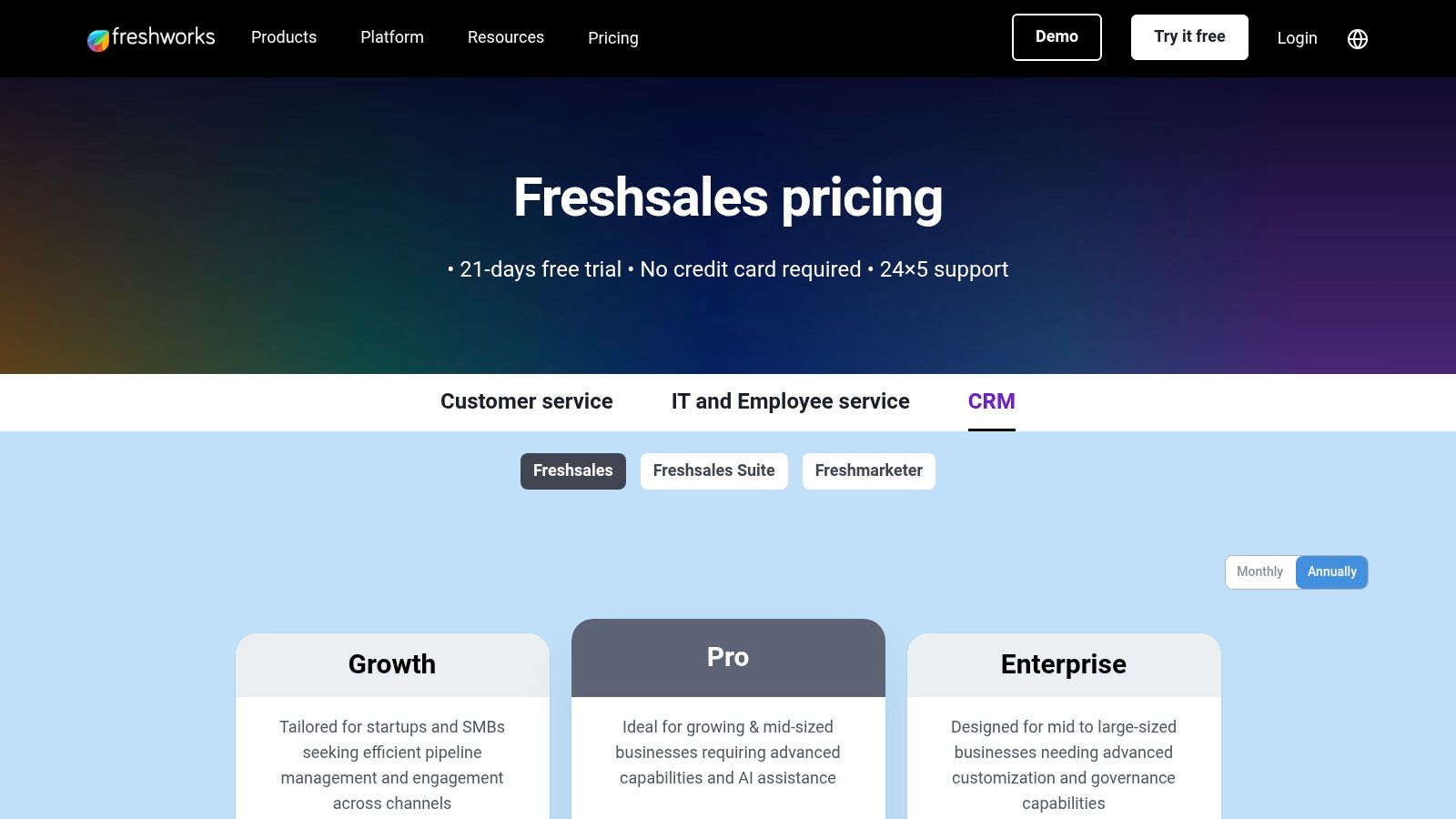
What makes Freshsales a compelling option for a small business is its approachable UI and powerful built-in functionalities. The platform offers a visual sales pipeline presented in a Kanban view, making deal tracking intuitive even for teams new to CRM software. Furthermore, its AI-powered assistant, Freddy AI, provides predictive lead scoring and deal insights on higher-tier plans, giving growing businesses a competitive edge without the enterprise-level price tag. The inclusion of a generous free plan and 24×5 support on all paid plans lowers the barrier to entry significantly.
Core Features and Pricing
Freshsales is structured to support a business from its initial stages through to significant growth, with features becoming more advanced at each tier. The free plan is notably robust for new companies.
| Tier | Key Features | Best For |
|---|---|---|
| Free | Contact & account management, built-in chat, email & phone, 24×5 support, mobile app access. | Startups or teams of up to 3 users needing a centralised platform for contact and communication management. |
| Growth | (From ~$15/user/month) Adds visual sales pipelines, AI-powered contact scoring, product catalogue, and basic reporting. | Small teams looking to formalise their sales process and gain initial insights into their pipeline performance. |
| Pro | (From ~$39/user/month) Adds multiple sales pipelines, advanced CRM customisation, Freddy AI forecasting, and sales sequences. | Established businesses that require sales automation and more sophisticated, data-driven forecasting to scale their operations. |
Practical Implementation
Getting started with Freshsales is designed to be quick. After the 21-day free trial, you can continue on the free plan or choose a paid tier. The most practical first step is to import your contacts and configure the built-in phone to start making and logging calls directly from the CRM. This immediately centralises a critical part of your sales communication.
Next, you can connect your email account to track conversations and use the live chat widget on your website to capture leads in real time. For teams focused on optimising their outreach, setting up a simple sales sequence in the Pro plan can automate follow-up emails, ensuring consistent engagement with prospects. While Freshsales offers strong native features, it’s worth noting that its customisation capabilities are less extensive than enterprise-grade CRMs, which is a trade-off for its simplicity and affordability. According to a PCMag review, its strength is its “combination of usability, feature depth, and price”. This balance makes it a top contender for the best CRM for small business users who value efficiency and ease of use.
Website: https://www.freshworks.com/crm/pricing/
7. monday Sales CRM (monday.com)
monday.com is widely known for its vibrant and flexible Work Operating System (Work OS), and monday Sales CRM is a specialised product built directly on that powerful foundation. This makes it a compelling choice for small businesses that need their sales activities tightly integrated with project management and other operational workflows. Instead of siloing sales data, it centralises everything into visually intuitive boards, making it one of the best CRM for small business options for teams that thrive on visual collaboration and process transparency. The platform’s design allows sales, marketing, and operations to work from a single source of truth.
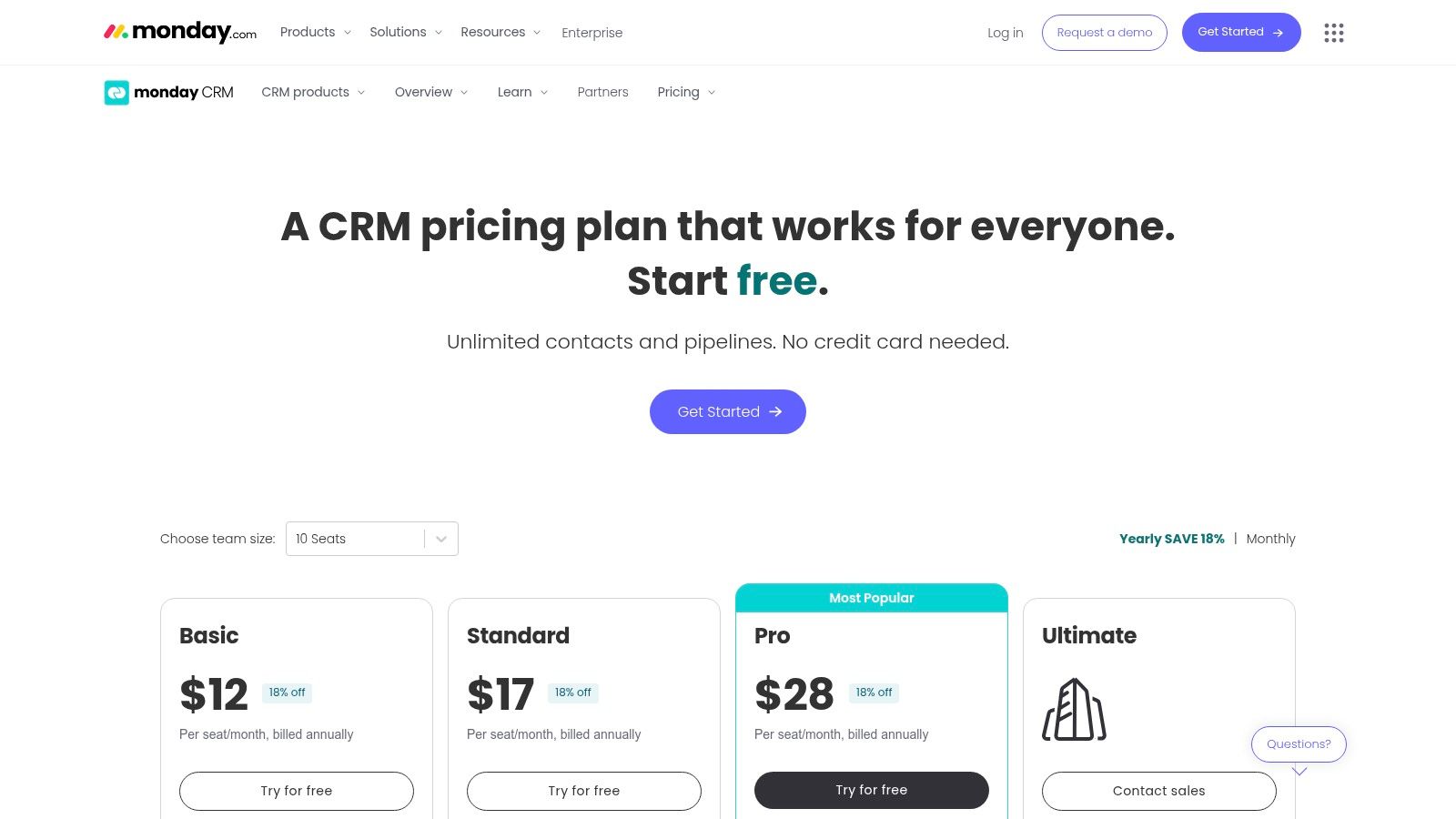
What truly differentiates monday Sales CRM is its ability to seamlessly blend CRM functionalities with robust project management. A sales deal is not just a record; it can be a comprehensive board with tasks, deadlines, assigned team members, and automated workflows. This is particularly beneficial for businesses in Nigeria or Kenya that deliver complex projects or services post-sale, as the handover from sales to delivery becomes frictionless. The platform’s extensive customisation and powerful automation capabilities allow teams to build workflows that perfectly match their unique processes.
Core Features and Pricing
monday Sales CRM’s pricing is user-based and structured in tiers, with each level unlocking more advanced automation, integration, and reporting features. A key point to note is the minimum seat requirement for paid plans.
| Tier | Key Features | Best For |
|---|---|---|
| Individual | Free forever for up to 2 users. Includes basic contact management, web forms, and shareable boards. | Freelancers or very small teams just starting to organise their sales contacts and leads. |
| Basic | (From ~$12/seat/month) Unlimited pipelines, contacts, and customisable dashboards (1 per account). Requires a minimum of 3 users. | Small teams needing a centralised place to manage deals and contacts with basic reporting. |
| Standard | (From ~$17/seat/month) Adds two-way email sync, quotes and invoices, automations (250/month), and more advanced dashboards. | Growing sales teams that need automation to handle routine tasks and want to manage invoicing from their CRM. |
| Pro | (From ~$28/seat/month) Adds sales forecasting, email sequences, higher automation limits (25,000/month), and private boards. | Established teams focused on optimising their sales process with advanced automation and data-driven forecasting. |
Practical Implementation
Getting started with monday Sales CRM involves choosing a template, like the “Sales Pipeline” or “Contact Management” template, and customising it to your needs. A practical first step is to import your contacts and deals, then customise the columns on your board to track the specific information that matters to your business, such as deal size, lead source, or expected close date.
Next, you can connect your Gmail or Outlook account to start syncing emails and tracking communication directly on a contact or deal “item.” A powerful next step is to set up your first automation. For example, you can create a rule that automatically moves a deal to the “Follow-up” stage and assigns a task to a team member three days after an initial contact is logged. As you become more comfortable, you can build out comprehensive dashboards that provide a real-time, visual overview of your sales performance, tracking KPIs like conversion rates and sales velocity. This visual approach helps teams quickly identify bottlenecks and opportunities for improvement.
Website: https://monday.com/crm/pricing
8. Top 7 Small-Business CRM Comparison
| Product | Implementation complexity | Resource requirements | Expected outcomes | Ideal use cases | Key advantages |
|---|---|---|---|---|---|
| CRM Africa | Low–Moderate (turnkey; regional payment setup) | Small teams supported; payment gateway accounts and occasional integration work | Faster collections, improved cash flow, reduced project delays | African SMEs needing integrated payments, invoicing and client portals | Region-first payments (mobile money, M-PESA), no per-seat licensing, all‑in‑one stack |
| HubSpot Sales Hub (HubSpot CRM) | Low (easy to start; more complex at advanced tiers) | Small teams can start free; paid tiers may need onboarding and more seats | Rapid adoption, scalable automation and reporting as you grow | SMBs that want to start free and scale sales/marketing together | Fast onboarding, extensive training (HubSpot Academy), large app marketplace |
| Salesforce Sales Cloud (Starter) | High (heavy configuration for customization) | Implementation partners/admins often needed; higher budget for add-ons | Enterprise-grade customization and scale with rich analytics | Businesses needing deep customization, integrations and long-term scalability | Highly extensible, vast AppExchange and partner ecosystem |
| Zoho CRM | Low–Moderate (straightforward setup within Zoho suite) | Budget-friendly plans; optional paid support for complex setups | Broad CRM functionality at low cost with cross-app workflows | Cost-conscious SMBs wanting integrated apps (support, campaigns, analytics) | Competitive pricing, deep Zoho ecosystem and many third-party integrations |
| Pipedrive | Low (very fast to implement; sales-first UX) | Minimal training; affordable plans; optional add-ons for features | Better deal tracking and activity-driven selling | Small sales teams focused on pipeline management and quick adoption | Intuitive visual pipelines, rapid adoption, flexible add-ons |
| Freshsales (Freshworks CRM) | Low (approachable UI; quick setup) | Low entry price; built-in telephony/chat; some AI on higher tiers | Improved multichannel engagement and forecasting | SMBs needing built-in phone/chat and simple CRM workflows | Built-in telephony/chat, Freddy AI insights, SMB-friendly pricing |
| monday Sales CRM (monday.com) | Moderate (board/configuration and automation setup) | Minimum 3-user plans; configuration time for boards/automations | Tight alignment of sales with projects and operations | Teams wanting visual workflows and project-sales integration | Visual boards, strong dashboards, automations and work OS integration |
9. Making Your Final Choice: How to Select the Right CRM for Your Growth Journey
Navigating the landscape of CRM platforms can feel overwhelming, but arriving at this point means you are now equipped with a detailed understanding of the leading contenders. We have explored a spectrum of solutions, from the locally focused powerhouse of CRM Africa, designed specifically for the African business ecosystem, to global giants like HubSpot and Salesforce, and versatile innovators like Zoho, Pipedrive, Freshsales, and monday.com. Each platform presents a unique value proposition, but the ultimate decision rests on aligning a tool’s core strengths with your business’s specific operational realities and growth ambitions.
The central takeaway is that there is no single “best crm for small business” that universally fits everyone. The ideal choice is deeply personal to your organisation. A marketing agency in Lagos will have different priorities than a consulting firm in Nairobi or an e-commerce startup in Cairo. The right CRM is the one that seamlessly integrates into your existing workflows, empowers your team rather than burdens it, and provides a clear pathway to scale.
A Practical Framework for Your Final Decision
Instead of getting lost in a sea of features, ground your selection process in a structured, strategic evaluation. This approach moves beyond simply comparing features and focuses on long-term value and operational fit. A 2021 study highlighted that the primary reason for CRM implementation failure isn’t the software itself, but a lack of clear strategy and user adoption (Gartner, 2021). To avoid this pitfall, use the following steps to guide your final choice.
- Revisit Your Core Needs (The ‘Must-Haves’): Go back to the problems that initiated your search. Are you primarily trying to solve pipeline visibility, streamline invoicing, improve client communication, or automate marketing tasks?
- For Sales-Driven Teams: If your absolute priority is visualising the sales process and tracking deal progression, tools like Pipedrive or monday Sales CRM offer exceptional, user-friendly pipeline management.
- For All-in-One Operations: If you need a single platform to manage sales, marketing, and customer service, comprehensive solutions like Zoho CRM or HubSpot provide immense value, especially with their free-tier entry points.
- For Project and Client Management: Service-based businesses in professional sectors like consulting or legal services will find the project management capabilities within Freshsales or monday.com particularly beneficial.
- Analyse Your Team’s Technical Comfort: The most powerful CRM is useless if your team finds it too complex to use. Be realistic about their current skills and willingness to learn.
- Simplicity and User-Friendliness: Platforms like Pipedrive and monday.com are often praised for their intuitive interfaces, which can significantly boost adoption rates.
- Customisation and Power: If you have a tech-savvy team or a dedicated administrator, the extensive customisation options in Salesforce or Zoho CRM can be moulded to fit your exact processes, delivering unparalleled control.
- Map Out Your Growth Trajectory: Where do you see your business in two years? Five years? The best crm for your small business today should also be the best CRM for your medium-sized business tomorrow.
- Scalability: Consider the platform’s ability to grow with you. HubSpot and Salesforce are renowned for their enterprise-level capabilities, ensuring you won’t outgrow the system.
- Localised Scaling: For businesses focused on African markets, a platform like CRM Africa is built with regional scaling in mind, already incorporating features like mobile money payments (M-PESA) that are critical for cross-border commerce on the continent.
Final Implementation Considerations
Once you have narrowed your choice down to one or two options, your work is not quite done. Before committing, take these final steps:
- Run a Thorough Trial: Sign up for the free trial and get your key team members involved. Don’t just click around; try to replicate your actual daily workflows. Can you easily import contacts, create a deal, send an invoice, and track a client project?
- Check Integration Capabilities: List the essential tools you already use, such as your accounting software, email client, or e-commerce platform. Verify that your chosen CRM integrates smoothly with them to avoid creating data silos.
- Evaluate Customer Support: During your trial, test their support channels. A responsive and helpful support team is invaluable, especially during the initial setup phase.
Choosing your CRM is a foundational decision that will shape your customer relationships and operational efficiency for years to come. By focusing on your unique needs, your team’s capabilities, and your future ambitions, you can confidently select a partner that will not just manage your data, but actively fuel your growth journey.
Ready to implement a CRM built by Africans, for African businesses? CRM Africa is uniquely positioned to understand and solve the challenges you face, from multi-currency invoicing to integrating M-PESA and mobile money payments. Start your free trial today and discover how a localised platform can be the perfect fit for your growth at CRM Africa.