
Managing cash flow is critical for any small or medium-sized enterprise (SME) in Africa. A slow or disorganised invoicing process can directly impact your ability to get paid on time, hindering growth and creating unnecessary administrative burdens. According to a U.S. Bank study, 82% of business failures are due to poor cash flow management, a problem that manual invoicing can exacerbate (U.S. Bank, 2022). Manual invoicing using spreadsheets or word processors is not only time-consuming but also prone to errors, which can damage client relationships and project a less professional image. The right free invoicing software automates this entire workflow, from creating and sending professional invoices to tracking payments and sending reminders, allowing you to focus on your core business operations.
This comprehensive guide is designed to help you navigate the available options and select the best platform for your specific needs. We have analysed and reviewed the top free invoicing software solutions, paying close attention to features relevant for African businesses, such as mobile money integration (like M-PESA), multi-currency support, and scalability. Whether you are a solo freelancer, a growing startup, or an established agency, finding a tool that streamlines your billing is a non-negotiable step towards financial stability and operational efficiency. A 2022 study highlighted that businesses using dedicated invoicing software report getting paid up to 14 days faster than those using manual methods (FreshBooks, 2022).
Inside this listicle, you will find a detailed breakdown of each tool, including:
- In-depth analysis: An honest look at key features, pros, and cons.
- Practical use cases: Scenarios illustrating who each platform is best for.
- Visual aids: Screenshots to give you a clear look at the user interface.
- Direct links: Quick access to sign up and get started immediately.
Our goal is to provide a practical resource that cuts through the marketing jargon and gives you the clear, actionable information needed to make an informed decision for your business. Let’s explore the solutions that can transform your invoicing process.
1. CRM Africa
CRM Africa positions itself as a powerful, all-in-one business management platform meticulously designed for the unique operational landscape of African Small and Medium Enterprises (SMEs). It offers a robust suite of free invoicing software functionalities integrated directly into a comprehensive Customer Relationship Management (CRM) system. This unified approach eliminates the need for multiple, disconnected applications, providing a single source of truth for client interactions, project progress, and financial health, a concept known as a “360-degree customer view” (Gartner, 2021).
The platform’s standout feature is its truly Free Forever plan, which supports up to 10 team members. Unlike trial periods that expire, this offering provides a permanent, scalable solution for startups and small teams. Furthermore, CRM Africa breaks from the traditional per-seat licensing model, allowing businesses to add users as they grow without incurring additional fees on this plan, a significant cost-saving advantage.
Key Strengths and Use Cases
CRM Africa’s invoicing capabilities are deeply integrated with its project management and CRM tools. This synergy allows for a seamless workflow: a project milestone is completed, and an invoice can be generated and sent in just a few clicks, pulling all relevant data automatically.
A primary differentiator is its built-in support for pan-African payment gateways. For any business operating across the continent, this is a game-changer.
- Localised Payments: Integrated support for Flutterwave, Paystack, and Pesapal, alongside mobile money and M-PESA, facilitates one-click invoice payments. This dramatically reduces payment friction and accelerates cash flow, a critical factor for SMEs (GSMA, 2023).
- Professional Client Experience: The platform enables the creation of client-branded, mobile-responsive dashboards. Customers can view project updates, access their invoices, make payments online, and communicate with your team directly through the portal. This self-service functionality not only enhances professionalism but also reduces administrative overhead and potential disputes.
- Comprehensive Business Oversight: Beyond invoicing, the platform includes visual sales pipelines, task management, proposals, contracts, and a knowledge base. This 360-degree view ensures that every aspect of the client lifecycle is managed within a single, cohesive ecosystem.
Implementation and Considerations
Getting started with CRM Africa is straightforward due to its intuitive interface and no-cost entry point. The primary consideration for growing businesses is the resource limits on the free plan. While generous for small teams, companies with more than 10 users or a large volume of active projects will need to upgrade to a paid plan.
Additionally, while the platform’s integration with various payment gateways is a major benefit, businesses must still navigate the specific setup requirements and regulations of each gateway within their respective countries. This may introduce some regional variability in feature availability or setup complexity.
| Feature | Details |
|---|---|
| Pricing | Free Forever (up to 10 users), Kick Start ($49.99/month for up to 50 users), and Thunder ($99.99/month for unlimited users). 30-day money-back guarantee. |
| Ideal For | African SMEs, startups, and agencies needing a unified platform for CRM, project management, and invoicing with localised payment options. |
| Unique Selling Point | A “Free Forever” plan for 10 users combined with integrated pan-African payment rails (including mobile money and M-PESA) and professional client portals. |
| Website | https://crm.africa |
2. Zoho Invoice
Zoho Invoice has long been a dominant force in the free invoicing software space, offering a surprisingly robust, ad-free platform that is genuinely free forever for a single user. It is particularly well-suited for freelancers, solopreneurs, and small businesses in South Africa, providing a dedicated ZA edition that simplifies regional tax compliance. The platform excels at automating the entire invoicing lifecycle, from creating professional quotes and converting them into invoices to sending automated payment reminders.
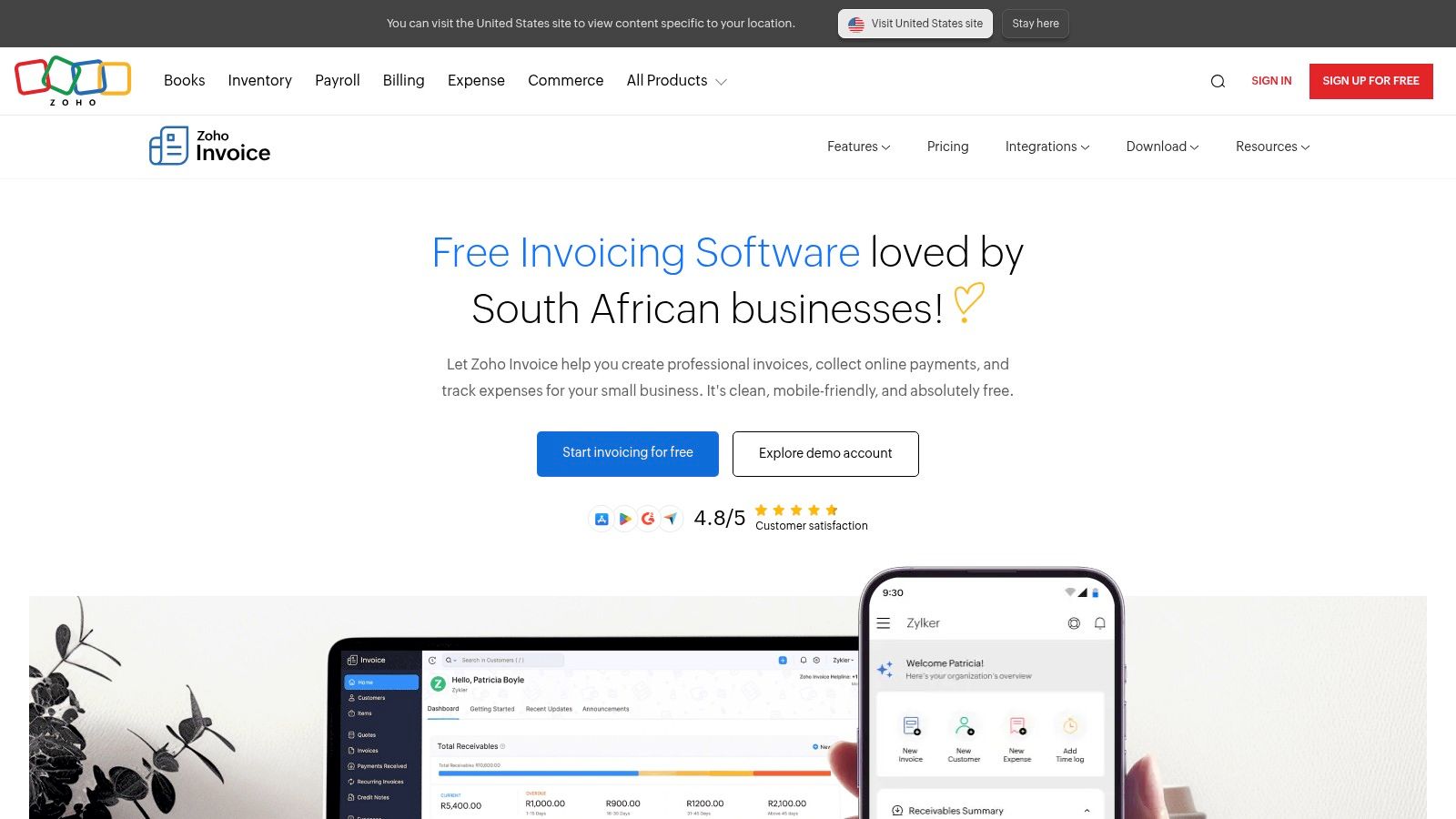
Its real strength, however, lies in its seamless integration with the broader Zoho ecosystem. As your business grows, you can connect Zoho Invoice to Zoho CRM, Zoho Books (for more advanced accounting), or Zoho Projects without the typical friction of migrating data between disparate systems. This scalability makes it a strategic starting point for businesses that anticipate future growth. The inclusion of a self-service client portal, where customers can view their invoice history and make payments directly, adds a layer of professionalism that elevates the customer experience (McKinsey & Company, 2021).
Key Features and Analysis
| Feature | Details & Use Case |
|---|---|
| Unlimited Invoices | Send as many invoices and quotes as needed to up to 5 customers on the free plan. Ideal for freelancers with a small, consistent client base. |
| Client Portal | Provides clients with a branded portal to view, approve, and pay invoices online, which can significantly speed up payment cycles. |
| Time & Expense Tracking | Log billable hours and track project-related expenses, then add them directly to an invoice. This is perfect for service-based businesses like consultancies. |
| Mobile Apps | Fully-featured iOS and Android apps allow you to create and manage invoices on the go, a crucial feature for business owners who are not always at their desks. |
Pros:
- Completely free forever for one user, with no advertisements.
- Highly polished user interface and top-rated mobile apps.
- Integrates natively with a vast suite of other Zoho business applications.
Cons:
- The free plan is limited to 5 customers.
- Advanced accounting features require upgrading to a paid Zoho Books plan.
- Template customisation can feel restrictive for those needing highly unique branding.
Website: https://www.zoho.com/za/invoice/
3. Invoice Ninja
Invoice Ninja stands out in the free invoicing software landscape by offering both a hosted cloud service and a fully open-source, self-hostable option. This dual approach provides unmatched flexibility, catering to tech-savvy users who want total control over their data, as well as small businesses looking for a quick and easy cloud setup. The platform is known for its robust feature set, even on the free tier, which includes powerful automation and extensive payment gateway support.
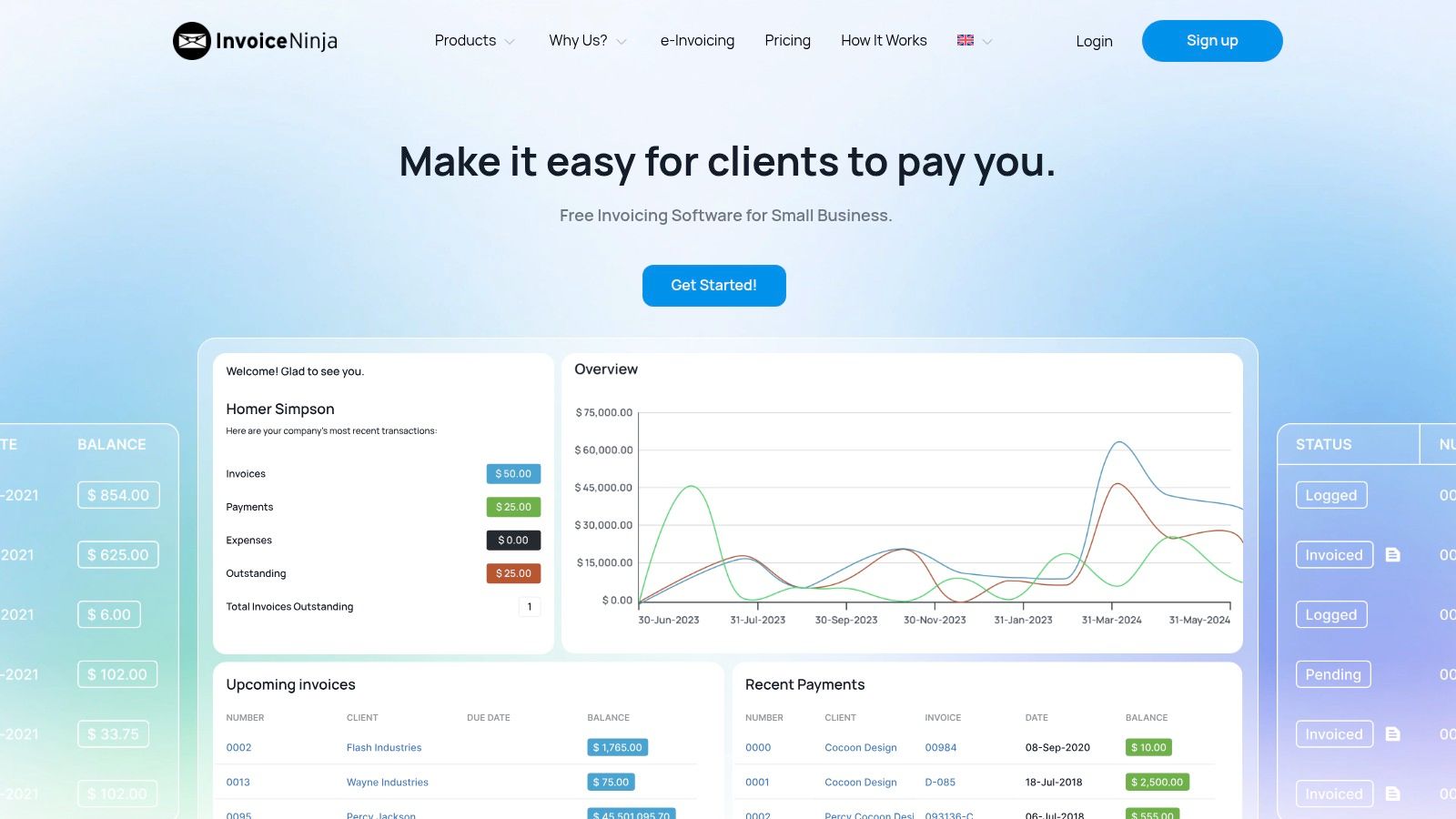
The platform’s strength lies in its comprehensive client-facing tools. The client portal is particularly impressive, allowing customers to not only view and pay invoices but also see their entire account history, approve quotes, and make partial payments or deposits. This level of interaction streamlines the payment process and enhances the professional image of the business. For businesses in South Africa and across the continent, its multi-currency support and integration with over 40 payment gateways make it a versatile tool for managing both local and international clients. Research shows that offering multiple payment options can increase the speed of payment by up to 30% (GoCardless, 2020).
Key Features and Analysis
| Feature | Details & Use Case |
|---|---|
| Unlimited Invoices | Create and send unlimited invoices and quotes for up to 5 clients on the free plan. This is ideal for startups or consultants with a small number of high-value clients. |
| Client Portal | A dedicated portal lets clients view their complete transaction history, approve quotes, and make partial payments, which can help with cash flow for larger projects. |
| Automation & Alerts | Set up automated workflows for recurring invoices, payment reminders, and thank-you emails. This saves significant administrative time and reduces late payments. |
| Multiple Gateways | Supports over 40 payment gateways, including popular options like Stripe, PayPal, and PayFast, offering clients a wide range of payment choices. |
Pros:
- Offers both a hosted SaaS and an open-source, self-hosted option for maximum flexibility.
- Strong automation and a feature-rich client portal are available on the free tier.
- Extensive support for multiple payment gateways and currencies.
Cons:
- The free plan is limited to 5 clients.
- Removing the “Created by Invoice Ninja” branding requires a paid subscription.
- The extensive feature set can be overkill and slightly complex for users with very simple needs.
Website: https://invoiceninja.com/
4. Invoicely
Invoicely positions itself as a streamlined and accessible free invoicing software, designed primarily for freelancers and micro-businesses that need a straightforward solution without a steep learning curve. Its core strength lies in its simplicity and speed; a new user can sign up and send their first professional-looking invoice in a matter of minutes. The platform’s clean interface avoids overwhelming users with excessive features, focusing instead on core invoicing functionalities.
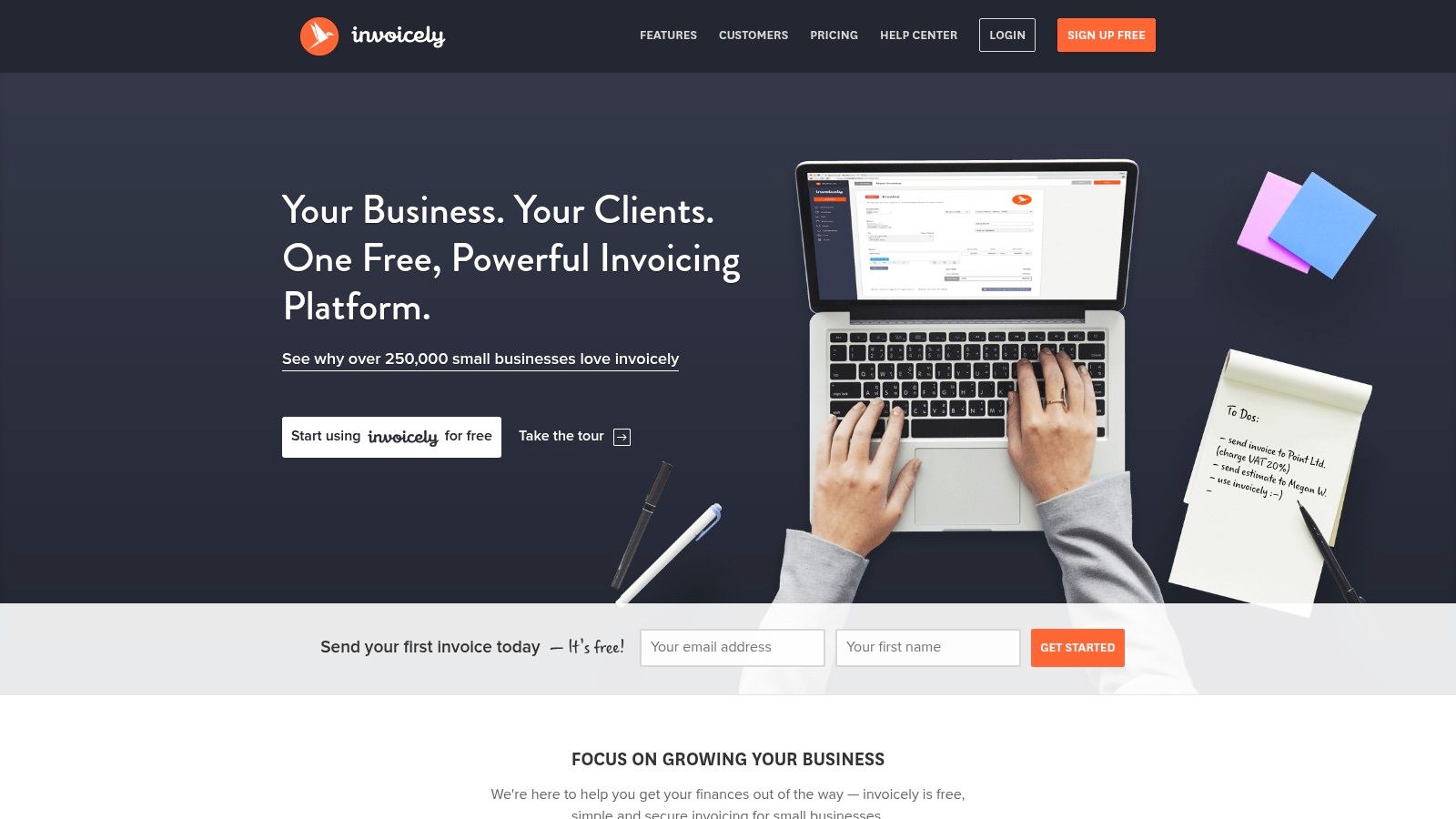
The free plan provides a solid foundation for those just starting out, offering essential tools like recurring invoice profiles, estimate-to-invoice conversion, and multi-currency support, which is particularly useful for African entrepreneurs working with international clients. While it imposes limits on the number of invoices, its inclusion of PayPal integration for direct payments offers significant value. This makes Invoicely a practical entry point for solopreneurs who prioritise ease of use and quick setup over advanced customisation or extensive accounting capabilities.
Key Features and Analysis
| Feature | Details & Use Case |
|---|---|
| Simple Invoice Creation | Generate and send unlimited invoices to up to 3 clients on the free forever plan. Ideal for freelancers managing a small, core group of customers. |
| Multi-Currency Support | Bill clients in their local currency. This is a critical feature for service providers in markets like Kenya or Nigeria who invoice clients in USD or EUR. |
| PayPal Integration | The free plan allows you to connect a PayPal account, enabling clients to pay directly from the invoice, helping to simplify and speed up collections. |
| Basic Tracking | Log billable time, mileage, and expenses to add directly to invoices. A useful tool for consultants or creatives who bill based on project inputs. |
Pros:
- Extremely quick to set up with a very clean, user-friendly interface.
- The free plan includes key features like recurring invoices and PayPal payments.
- Mobile access allows for invoicing and management on the go.
Cons:
- The free plan is quite restrictive, with a limit of only 3 clients.
- Advanced features like a client portal and more payment gateways are behind a paywall.
- Lacks the deep integration capabilities of more ecosystem-focused platforms.
Website: https://invoicely.com/
5. ZipBooks (Starter)
ZipBooks carves out a unique niche in the free invoicing software landscape by blending core invoicing with light bookkeeping features, making it an excellent entry point for new businesses. Its free “Starter” plan is impressively generous, offering unlimited invoices to unlimited customers and vendors, which is a significant advantage over many competitors. This makes it an ideal choice for South African freelancers and startups who need a professional invoicing system without worrying about hitting arbitrary limits as their client base grows.
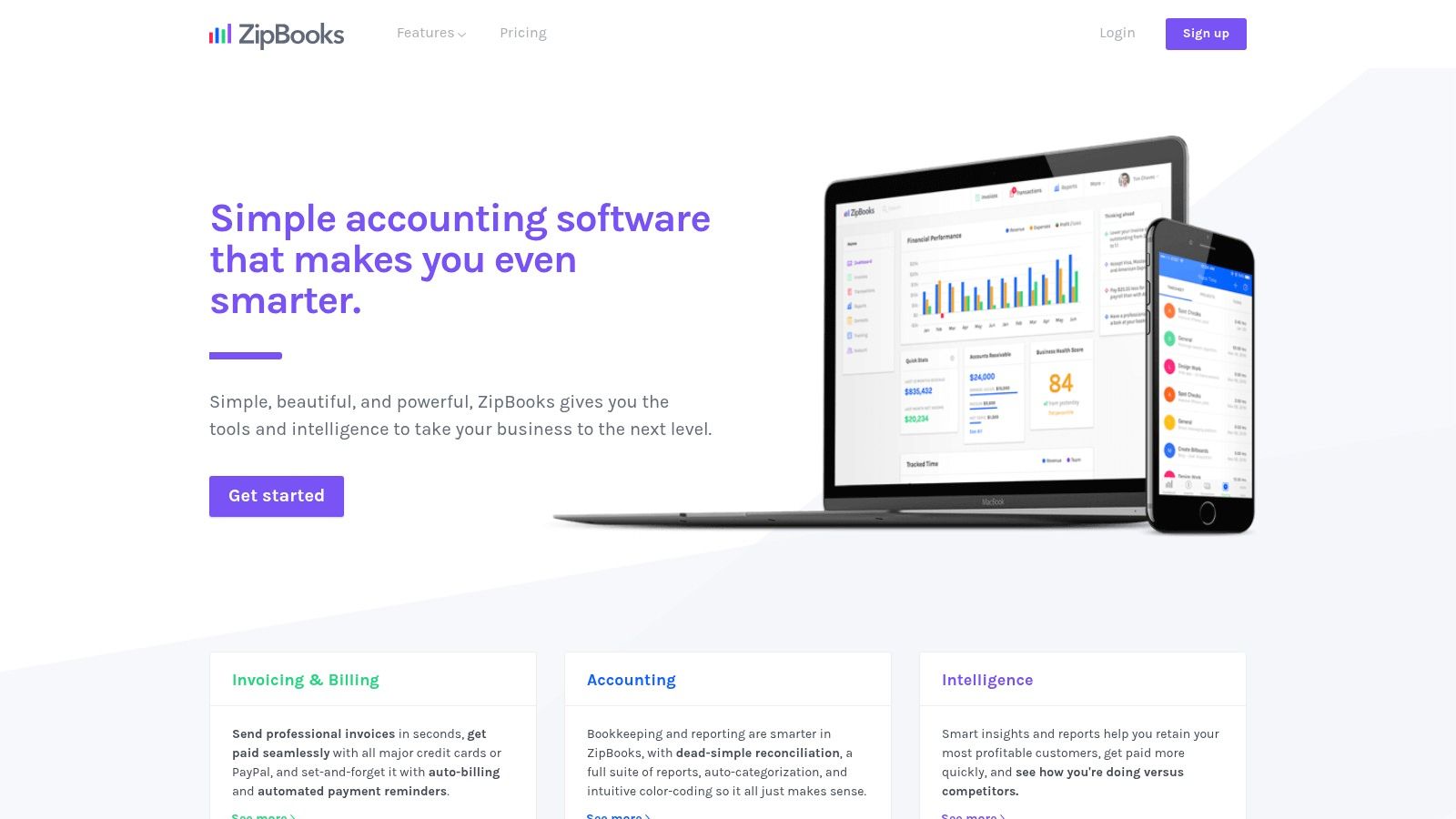
The platform’s standout feature on the free tier is the ability to connect one bank account for transaction reconciliation. This simple addition transforms ZipBooks from a basic invoice generator into a rudimentary accounting tool, allowing business owners to get a clearer picture of their cash flow. The user interface is clean and exceptionally beginner-friendly, prioritising simplicity and ease of use. While it lacks the advanced project management or deep customisation of other systems, ZipBooks provides a solid, reliable foundation for managing finances from day one.
Key Features and Analysis
| Feature | Details & Use Case |
|---|---|
| Unlimited Invoicing | Send an unlimited number of invoices to unlimited customers and manage unlimited vendors. This is perfect for businesses with a high volume of transactions or a rapidly expanding client list. |
| Bank Connectivity | Connect one bank account to import transactions and perform basic bookkeeping. This helps new entrepreneurs keep business and personal finances organised without a full accounting suite. |
| Basic Reporting | Access fundamental reports like an income statement and balance sheet. These are crucial for understanding business performance and preparing for tax obligations. |
| Accept Digital Payments | Integrate with payment gateways like Square or PayPal to allow clients to pay invoices online, which helps to improve cash flow and reduce payment delays. |
Pros:
- A truly generous free plan with unlimited invoices and customers.
- The clean, intuitive interface is easy for complete beginners to navigate.
- Includes basic bookkeeping features not often found in free invoicing tools.
Cons:
- Advanced features like time tracking, recurring invoices with auto-billing, and multi-user access are locked behind paid plans.
- Payment processing is reliant on third-party gateways, which have their own transaction fees.
- Reporting capabilities on the free plan are limited to the basics.
Website: https://zipbooks.com/
6. PayPal Invoicing (South Africa)
For businesses and freelancers already integrated into the PayPal ecosystem, PayPal Invoicing serves as a straightforward and trusted solution. While not a dedicated accounting suite, it provides a simple way to create and send invoices directly from the PayPal Business dashboard, making it a powerful piece of free invoicing software for those prioritising payment convenience. Its primary advantage is the built-in trust and familiarity that the PayPal brand carries, especially for international clients.
The platform is designed for simplicity. You can quickly generate a professional-looking invoice, send it via email, and provide your client with a direct payment link. This process removes much of the friction associated with traditional bank transfers, allowing clients to pay instantly using their PayPal balance or a credit/debit card. This is particularly valuable for South African businesses that regularly bill clients in North America or Europe, where PayPal is a dominant payment method. While the invoicing feature itself is free, it’s crucial to remember that standard PayPal transaction fees apply once the invoice is paid.
Key Features and Analysis
| Feature | Details & Use Case |
|---|---|
| No Monthly Fee | Creating and sending an unlimited number of invoices is completely free. You only incur a fee when a payment is successfully processed. |
| Card & PayPal Payments | Clients can pay directly via the invoice link using their card or PayPal account, simplifying the payment process and reducing follow-ups. |
| Partial Payments | The option to enable partial payments is ideal for managing deposits or milestone-based project payments without creating multiple separate invoices. |
| Cross-Border Ready | Leverages PayPal’s global infrastructure for international transactions, although currency conversion and withdrawal fees to South African banks will apply. |
Pros:
- Extremely easy setup for existing PayPal Business account holders.
- High brand recognition and trust among international clients, which can encourage faster payments.
- Frictionless payment experience for customers who prefer using PayPal or cards.
Cons:
- Transaction fees are charged on every paid invoice, which can be significant on large amounts.
- Withdrawing funds to a South African bank account can involve extra steps and fees through FNB.
- Lacks advanced features like time tracking, expense management, or detailed reporting.
Website: https://www.paypal.com/za/business/manage/invoices
7. Odoo Invoicing (One App Free)
Odoo offers a unique proposition in the free invoicing software landscape by providing its powerful, enterprise-grade Invoicing app completely free forever, for unlimited users, as part of its “one app free” plan. This is not a stripped-down version but the full-featured module from its comprehensive ERP suite. It is an exceptional choice for ambitious startups and SMEs across Africa that need a robust invoicing system today, with a clear, integrated pathway to scale into a full business management solution tomorrow. The platform’s strength lies in its modularity and extensive localisation features.
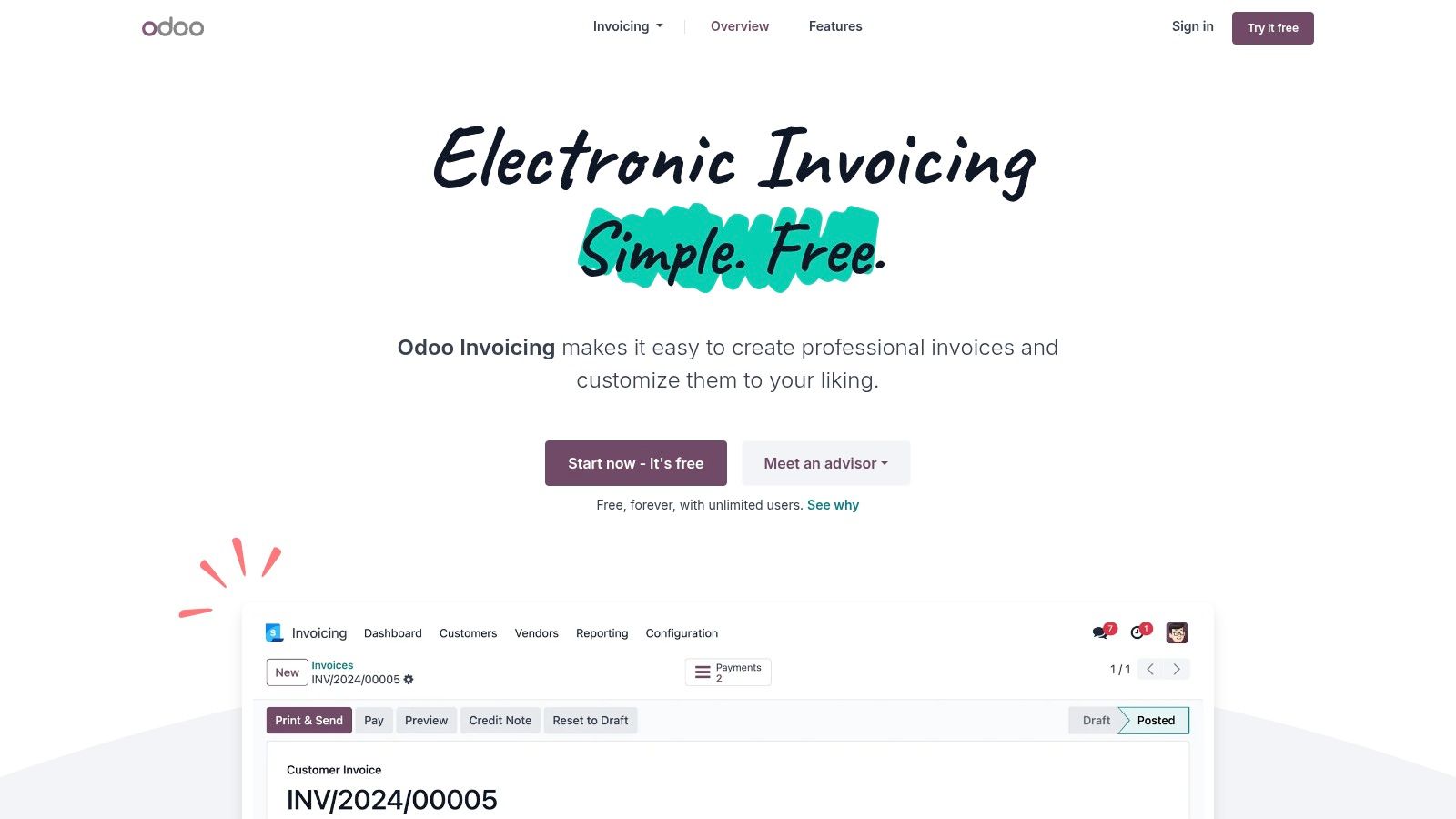
Unlike many simpler tools, Odoo Invoicing is built to handle complexity. It seamlessly manages recurring invoices, automated follow-ups, and integrates with a wide array of payment gateways suitable for the African market. The real strategic advantage, however, is scalability. When your business needs CRM, inventory management, or project management, you can simply add another Odoo app. While this moves you to a paid plan, it avoids the data migration headaches and integration chaos that often accompany business growth, making it a highly strategic starting point.
Key Features and Analysis
| Feature | Details & Use Case |
|---|---|
| One App Free Plan | Get the full Invoicing or Accounting app free forever for unlimited users on Odoo Online. This is ideal for a growing team that needs a powerful, collaborative invoicing tool without initial costs. |
| Online Payments & Reminders | Integrates with numerous payment acquirers like Stripe and PayPal, and automates follow-up emails to reduce late payments. |
| Extensive Localisation | With support for over 160 countries, Odoo can automatically configure local taxes and fiscal positions, a critical feature for businesses operating across African borders. |
| Mobile Apps | Full-featured iOS and Android apps enable invoice creation, tracking, and management from anywhere, ensuring business continuity for teams on the move. |
Pros:
- Enterprise-grade features (unlimited users, advanced invoicing) for free.
- Excellent scalability; easily add other business management modules as you grow.
- Strong localisation and support for diverse payment integrations.
Cons:
- Activating a second app immediately transitions you to a paid subscription.
- The interface can have a steeper learning curve compared to single-purpose invoicing tools.
- Requires using Odoo Online hosting for the free offer.
Website: https://www.odoo.com/app/invoicing
8. ERPNext (Open Source)
For businesses with technical expertise or those that prioritise data sovereignty, ERPNext stands out as a powerful piece of free invoicing software. As a 100% open-source platform, it offers unparalleled flexibility and control. You can self-host it on your own server for free with no user limits, giving you full ownership of your data without recurring subscription fees. It’s an ideal choice for South African SMEs that need a system that can grow from simple invoicing into a full-fledged Enterprise Resource Planning (ERP) solution.
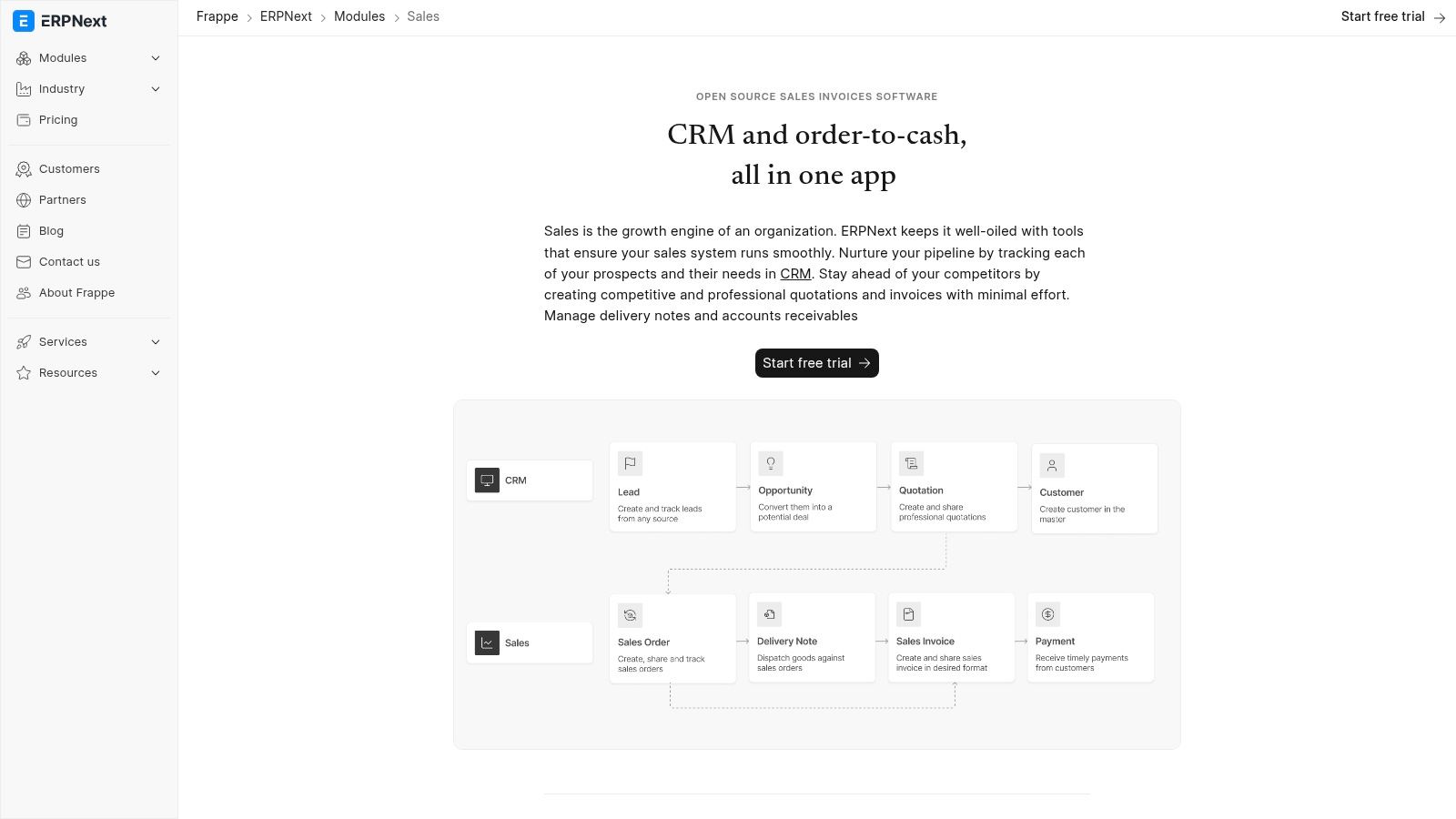
ERPNext’s core strength is its adaptability. The platform provides robust sales invoicing, automated payment reminders, and detailed customer statements out of the box. However, its true value lies in its customisation capabilities; you can modify print formats, add custom fields, and configure complex workflows to match your exact business processes. While this requires technical setup, it allows the software to be precisely tailored to your needs, a feature rarely found in free, off-the-shelf products. For those who prefer a hands-off approach, managed hosting is available through Frappe Cloud.
Key Features and Analysis
| Feature | Details & Use Case |
|---|---|
| Unlimited Invoices & Users | The self-hosted version has no limits on users, invoices, or customers. This is perfect for growing teams that want to avoid per-user pricing models. |
| Full ERP Suite | Invoicing is just one module. It can be extended to manage inventory, manufacturing, projects, CRM, and accounting, providing a unified business solution. |
| High Customisability | Configure print formats, reports, roles, and permissions extensively. This is crucial for businesses with specific branding or compliance requirements. |
| Multi-Currency Support | Natively handle transactions in multiple currencies, a vital feature for South African businesses that trade internationally or across the continent. |
Pros:
- Completely free to self-host with no user or feature limitations.
- Highly extensible, capable of growing into a comprehensive ERP system.
- Offers complete data ownership and control.
Cons:
- Requires technical knowledge for setup, hosting, and maintenance.
- Regional localisations, such as specific e-invoicing formats, may need extra configuration.
- The user interface can be less intuitive than more modern SaaS alternatives.
Website: https://frappe.io/erpnext/open-source-sales-invoicing
9. Yoco Invoices (South Africa)
For South African merchants already embedded in the Yoco payments ecosystem, Yoco Invoices represents a seamless and powerful extension of their existing tools. Rather than being a standalone platform, it is an integrated feature within the Yoco App and Web Portal, designed specifically for local businesses. This makes it an incredibly convenient piece of free invoicing software for anyone using Yoco card machines or online payment gateways, as it connects invoicing directly to their primary revenue stream. The system is built to streamline the process from quote to payment for South African entrepreneurs.
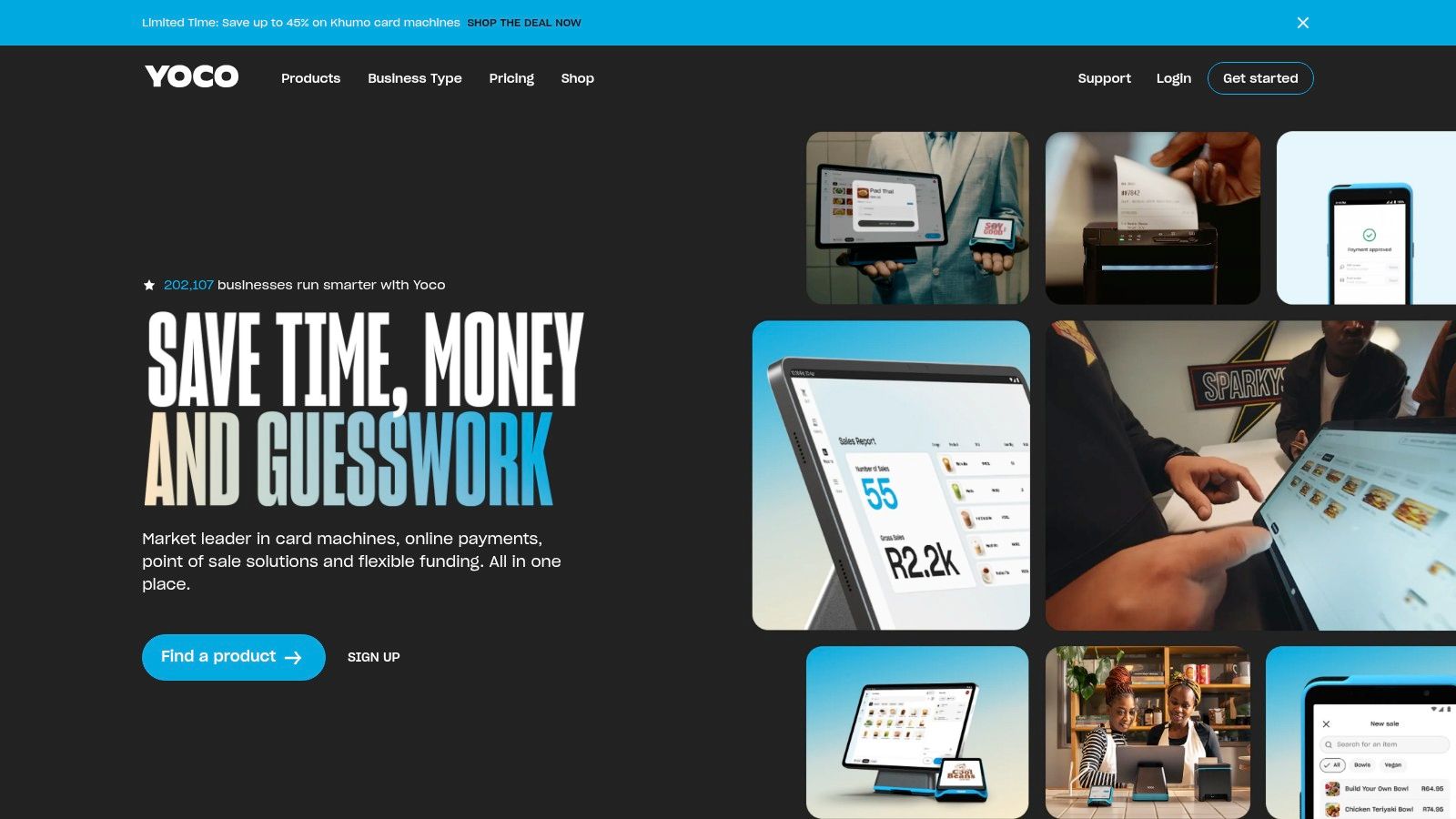
The key advantage of Yoco Invoices is its native integration with Yoco’s payment infrastructure. Every invoice generated includes a built-in “Pay Now” button, allowing clients to settle their bills instantly using credit/debit cards, Instant EFT, Apple Pay, or Google Pay. This eliminates the friction of manual bank transfers and reconciliation, as payments are automatically tracked within the Yoco dashboard and paid out according to the user’s existing schedule. It’s a practical, no-frills solution designed to get South African small businesses paid faster, without the complexity of a separate accounting suite.
Key Features and Analysis
| Feature | Details & Use Case |
|---|---|
| Unlimited Free Invoices | Create and send as many professional invoices as your business needs, with no monthly subscription fee. Perfect for businesses of all sizes within SA. |
| Integrated Payment Links | Each invoice includes a secure payment link, facilitating immediate payment via card, Instant EFT, and digital wallets, drastically reducing payment delays. |
| Mobile & Web Creation | Generate and manage invoices from anywhere using the Yoco App on your phone or the web-based Yoco Portal, ideal for business owners on the move. |
| VAT & Customer Management | Easily add your VAT number and save customer details to speed up future invoicing. This is essential for maintaining compliance and efficiency. |
Pros:
- Completely free to create and send unlimited invoices.
- Perfectly designed for South African regulations, payment methods, and payout flows.
- Extremely simple and fast to use, especially from the mobile app.
Cons:
- Requires an active Yoco profile and is exclusive to South African-based businesses.
- Standard Yoco transaction fees apply when a customer pays an invoice online.
- Lacks advanced features like time tracking or expense management found in dedicated accounting software.
Website: https://www.yoco.com/za/
10. FNB Instant Invoicing (South Africa)
For South African businesses already banking with FNB, Instant Invoicing presents a compelling and highly integrated solution. Rather than a standalone platform, this is a value-added service built directly into FNB’s Online Banking Business Profile, making it a powerful piece of free invoicing software for existing customers. Its core value proposition is the seamless link between invoice creation and actual bank transactions, aiming to eliminate the manual reconciliation that plagues many SMEs. By generating invoices within the banking ecosystem, payments can be automatically matched, offering a real-time view of cash flow.
This deep banking integration is its standout feature. Unlike third-party apps that rely on bank feeds which can lag or require re-authentication, FNB Instant Invoicing offers immediate, accurate reconciliation. This is particularly useful for businesses that need precise, up-to-the-minute financial data without the complexity of a full accounting suite. The ability to handle foreign currency invoicing directly within the banking platform is another significant advantage for businesses dealing with international clients, simplifying a traditionally complex process. It’s an ideal, no-cost starting point for FNB Business clients who need efficient invoicing without added subscriptions.
Key Features and Analysis
| Feature | Details & Use Case |
|---|---|
| Direct Banking Integration | Create and send professional invoices directly from your FNB Business Online Banking profile. This is perfect for owner-managed businesses that handle their own finances. |
| Automatic Reconciliation | Payments received into your FNB account are automatically matched to the corresponding invoices, drastically reducing administrative work and human error. |
| Foreign Currency Invoicing | Supports invoicing in various foreign currencies, a crucial feature for SMEs exporting services or goods. The system simplifies managing international payments. |
| No Additional Fees | The service is free for FNB Business Account holders. This makes it an extremely cost-effective solution for businesses looking to minimise overheads. |
Pros:
- Completely free for eligible FNB Business customers with no license or support fees.
- Unparalleled banking integration simplifies payment reconciliation to cash flow.
- Conveniently located within the familiar online banking interface.
Cons:
- Exclusively available to FNB Business Account holders, locking out non-FNB clients.
- The feature set is focused purely on invoicing and basic reconciliation, lacking full accounting capabilities like expense tracking or payroll.
- Less customisation and fewer features compared to dedicated, standalone invoicing platforms.
Website: https://www.fnb.co.za/business-banking/instant-solutions/instant-invoicing.html
11. iKhokha – iK Invoice (South Africa)
For South African merchants already using the iKhokha ecosystem for point-of-sale transactions, iK Invoice is a seamless and logical extension. This feature is integrated directly into the iKhokha platform, providing a piece of free invoicing software designed specifically for the local market. It excels at bridging the gap between digital invoicing and payment collection by embedding an iK Pay Link directly into every invoice sent. This allows clients to pay instantly using their card or other online payment methods.
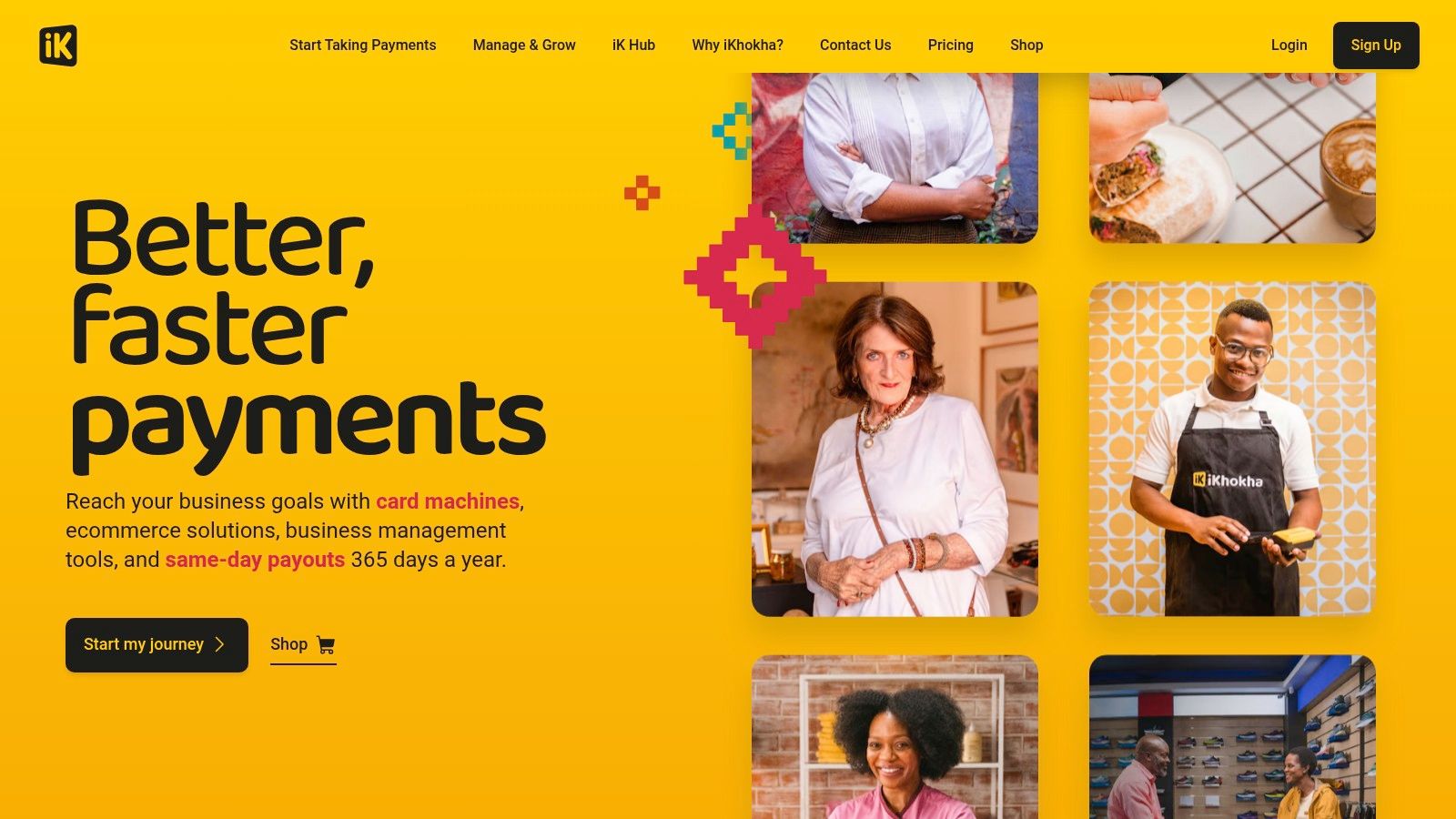
The primary advantage of iK Invoice is its deep integration with the South African financial system. The platform is built to handle local VAT requirements and directs payouts through established, SA-centred banking channels. The ability to send invoices directly via WhatsApp or email from the app or dashboard adds a layer of convenience crucial for small businesses communicating with clients on their preferred platforms. This tool is less a standalone invoicing platform and more a value-added service for existing iKhokha merchants, making it an incredibly efficient choice for those already invested in their payment hardware.
Key Features and Analysis
| Feature | Details & Use Case |
|---|---|
| Embedded iK Pay Link | Each invoice includes a direct payment link, enabling clients to settle bills online immediately. This significantly reduces payment friction for service-based businesses. |
| WhatsApp & Email Sending | Send professional invoices directly from the iKhokha app or merchant dashboard via WhatsApp or email, streamlining communication with customers. |
| SA VAT Compliance | Invoices automatically display your VAT number and are structured to meet local tax requirements, simplifying bookkeeping for South African SMEs. |
| Unlimited Invoices | As an approved merchant, you can create and send as many invoices as your business requires without any additional cost, which is ideal for high-volume service providers. |
Pros:
- Completely free to use for any approved iKhokha merchant with a quick setup process.
- Simplifies online payments with a built-in, trusted payment gateway.
- Offers localised support and payout flows tailored to the South African market.
Cons:
- Requires you to be an approved iKhokha merchant, which involves FICA verification.
- The automatic update of an invoice to “paid” status only works if the client uses the embedded payment link.
- Functions more as a feature within a larger ecosystem than a standalone, feature-rich invoicing tool.
Website: https://www.ikhokha.com/
12. GetApp South Africa – Billing & Invoicing Category
While not a direct free invoicing software provider, GetApp’s South Africa-localised directory is an indispensable research tool for any business owner in the vetting stage. Instead of providing the service itself, GetApp functions as a powerful comparison engine, allowing you to filter through hundreds of billing and invoicing solutions to find those that specifically offer a free plan. This strategic first step saves countless hours that would otherwise be spent visiting individual vendor websites to check for pricing and features relevant to the South African market.
The platform’s real value lies in its aggregation of user reviews and detailed feature checklists. You can directly compare top contenders side-by-side, read unfiltered feedback from other SMEs, and quickly identify potential deal-breakers before committing to a signup. According to a study by G2 and Heinz Marketing, 92% of B2B buyers are more likely to purchase after reading a trusted review (G2, 2021). For businesses needing specific functionalities like project billing or integration with local payment gateways, GetApp’s advanced filters are crucial for creating a qualified shortlist. It effectively streamlines the decision-making process, ensuring you choose a tool that genuinely fits your operational needs.
Key Features and Analysis
| Feature | Details & Use Case |
|---|---|
| ZA-Specific Directory | The platform is localised for South Africa, featuring vendors and reviews relevant to the regional market. This helps in finding software with ZAR currency and local tax support. |
| Free Plan Filter | A dedicated filter allows users to instantly view only the tools that offer a genuinely free-forever plan, which is the primary use case for readers of this listicle. |
| User Reviews & Ratings | Aggregates reviews from verified users, providing social proof and real-world insights into a platform’s usability, support, and reliability. This is vital for validating marketing claims. |
| Feature Comparison | Enables a side-by-side comparison of features for multiple software options, helping to quickly identify which tool best meets specific business requirements. |
Pros:
- Saves significant time by consolidating hundreds of software options into one searchable database.
- Helps validate vendor reputation and user satisfaction through aggregated, real-world reviews.
- Excellent filtering capabilities to narrow down choices based on specific needs like free plans or integrations.
Cons:
- It is a directory, not an invoicing tool itself, so it only serves the research and shortlisting phase.
- Some listings may be sponsored or prioritised, requiring users to still verify all claims on the vendor’s website.
- The sheer number of options can feel overwhelming if you don’t use the filters effectively.
Website: https://www.getapp.za.com/directory/240/billing-invoicing/software
13. Top 12 Free Invoicing Tools — Comparison
| Product | Core features | UX / Quality | Price & Value | 👥 Target audience | ✨ Standout / Unique |
|---|---|---|---|---|---|
| 🏆 CRM Africa | CRM + PM + Invoicing + integrated pan‑African payments (M‑PESA, mobile money) + client portals | ★4.9/5 · 99.9% uptime | 💰 Free Forever ≤10 users; $49.99/mo (50 users); $99.99/mo (unlimited) — no per‑seat fees | 👥 SMEs, startups, agencies across Africa | ✨ No per‑seat licensing; pan‑African payment rails; client‑branded mobile portals |
| Zoho Invoice | Invoicing, customer portal, templates, mobile apps | ★4.5/5 · strong usability | 💰 Free forever; paid for deeper Zoho integrations | 👥 Freelancers & small SA businesses | ✨ Tight Zoho ecosystem integration & SA-specific pages |
| Invoice Ninja | Invoicing, client portal, multiple gateways; self‑host option | ★4.3/5 | 💰 Free tier (5 clients) or self‑host; paid to remove branding | 👥 Tech-savvy freelancers/teams wanting control | ✨ Open‑source + hosted flexibility |
| Invoicely | Basic invoicing, recurring, PayPal, mobile PDF invoices | ★4.0/5 · clean UI | 💰 Free tier with client/invoice limits; paid unlocks features | 👥 Freelancers needing quick setup | ✨ Fast start, simple mobile invoicing |
| ZipBooks (Starter) | Unlimited invoices, basic reports, one bank connection | ★4.2/5 · beginner‑friendly | 💰 Free Starter; paid for automation/time tracking | 👥 Beginners & small service businesses | ✨ Generous free invoicing + light bookkeeping |
| PayPal Invoicing (ZA) | Invoice creation, card & PayPal payments, partial payments | ★4.0/5 · trusted brand | 💰 No monthly fee; transaction & withdrawal fees apply | 👥 Businesses & customers preferring PayPal/cross‑border | ✨ Global payments & strong brand recognition |
| Odoo Invoicing | One‑app free invoicing, automation, localization for 160+ countries | ★4.1/5 · enterprise depth | 💰 One app free; becomes paid as you add apps | 👥 Growing SMEs needing ERP modularity | ✨ Easy expansion to full ERP |
| ERPNext (Open Source) | Sales invoicing, workflows, multi‑currency, configurable reports | ★4.0/5 · highly customizable | 💰 Free to self‑host; paid managed hosting options | 👥 Tech teams & companies needing full data control | ✨ 100% open‑source, no user limits |
| Yoco Invoices (ZA) | Unlimited invoices, pay links & QR codes, card & Instant EFT | ★4.0/5 · SA‑focused | 💰 Free invoicing; transaction fees on payments | 👥 South African merchants using Yoco | ✨ Local payout flows & QR/pay link convenience |
| FNB Instant Invoicing (ZA) | Bank‑linked invoicing, auto reconciliation, foreign currency invoicing | ★3.9/5 | 💰 Free for eligible FNB business clients | 👥 FNB Business Banking customers | ✨ Direct banking integration for easy reconciliation |
| iKhokha – iK Invoice (ZA) | Unlimited invoices, WhatsApp/email sending, embedded pay link | ★3.8/5 | 💰 Free for approved merchants; payment fees apply | 👥 iKhokha merchants (SA) | ✨ WhatsApp delivery + embedded iK Pay links |
| GetApp South Africa (Directory) | ZA‑focused listings, filters, reviews, vendor links | ★Varies (aggregated reviews) | 💰 Free directory to search & compare | 👥 Buyers shortlisting billing/invoicing tools | ✨ Large localized directory with user reviews |
14. Final Thoughts
Navigating the landscape of free invoicing software can feel like a formidable task, especially for small and medium enterprises across Africa where cash flow is the lifeblood of the business. Throughout this guide, we’ve explored a diverse range of tools, from dedicated invoicing platforms like Zoho Invoice and Invoice Ninja to comprehensive open-source solutions such as ERPNext and integrated banking options from FNB and Yoco. The key takeaway is clear: there is no single “best” free solution, only the one that best aligns with your unique business model, operational scale, and future growth aspirations.
Our analysis revealed that the term “free” often comes with important caveats. Many platforms operate on a freemium model, where the free tier serves as an entry point with limitations on the number of clients, invoices, or users. For a solo entrepreneur or a micro-business just starting out, these limitations may be perfectly acceptable. However, for a growing SME, scalability becomes a critical factor to consider from day one.
Making the Right Choice for Your African SME
Choosing the right tool requires a strategic assessment of your immediate needs and long-term goals. Don’t just look at the feature list; instead, evaluate how each platform will integrate into your daily workflow.
Consider these pivotal questions before making your final decision:
- Payment Gateways: Does the software integrate with payment solutions that are popular and trusted in your specific region? For instance, the ability to accept mobile money payments like M-PESA or integrate with local card processors like Yoco or iKhokha can significantly reduce payment friction.
- Scalability and Growth: What happens when you exceed the limits of the free plan? Investigate the pricing and features of the paid tiers. A platform with a smooth and affordable upgrade path is far more valuable than a free tool that will force a complicated migration in a year’s time.
- Beyond Invoicing: Do you need just an invoicing tool, or would your business benefit from a more integrated system? Solutions like CRM Africa, Odoo, and ERPNext offer invoicing as part of a larger ecosystem that includes customer relationship management, project management, and inventory tracking. Adopting such a platform early can centralise your operations and provide a single source of truth for your business data.
- Localisation and Support: Is the platform optimised for the African market? This includes currency support, tax compliance (like VAT), and customer support that understands your local context. A study on SME adoption of technology highlights that localised support and relevance are critical drivers for successful implementation (Muriithi, 2017).
Final Recommendations
For South African businesses heavily reliant on point-of-sale transactions, the invoicing features from Yoco and iKhokha offer a seamless, integrated experience. If you are a freelancer or small agency looking for a sleek, dedicated invoicing tool with robust features, Invoice Ninja and Zoho Invoice present compelling free tiers. For the technically inclined who desire ultimate control and customisation, the open-source power of ERPNext is unmatched, though it demands a greater investment in setup and maintenance.
Ultimately, the goal is to find free invoicing software that not only automates a critical administrative task but also empowers your business to get paid faster, maintain a professional image, and lay a solid foundation for sustainable growth. Take the time to test a few of the top contenders from this list. A few hours of research and hands-on testing now can save you countless hours of administrative headaches and position your business for long-term success.
Ready to move beyond basic invoicing and unify your sales, projects, and billing in one platform designed for African businesses? CRM Africa offers a powerful, free-forever plan for up to 10 users that includes invoicing, CRM, project management, and crucial mobile money payment integrations. Start streamlining your business with CRM Africa today.