
On its own, a CRM with mobile money integration is a simple concept: it’s what happens when your customer relationship management (CRM) software talks directly to mobile payment platforms. Think of it as building a bridge. Instead of managing client conversations in one place and then jumping over to another app to send an invoice or check for a payment, everything happens in one seamless flow.
1. The Future of Payments for Your Business
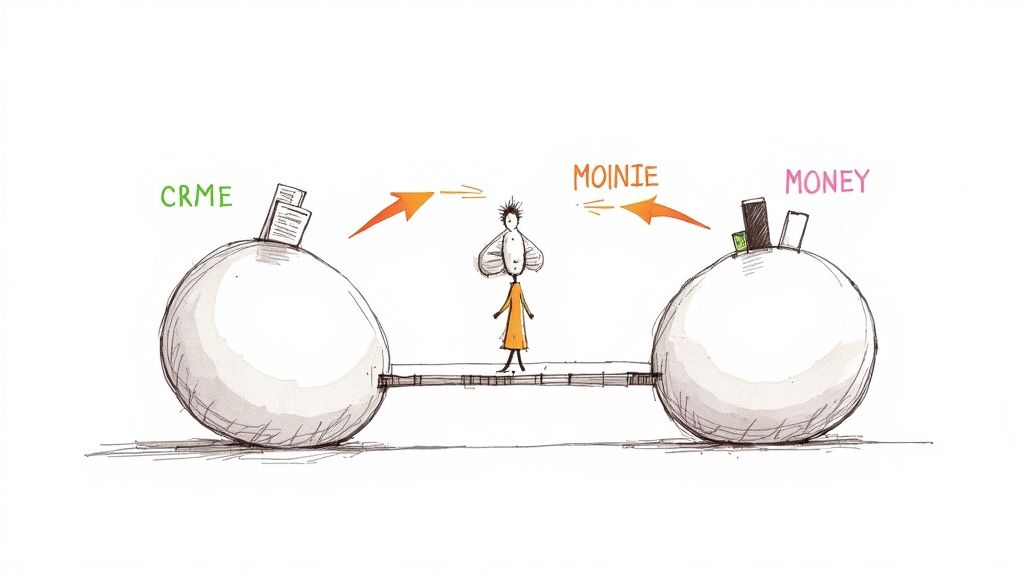
Let’s be honest. For most businesses, sales data and payment data live in completely separate worlds. Your customer history is in one system, and your transaction records are in another. This disconnect isn’t just an inconvenience; it creates hours of frustrating manual work, puts a brake on your cash flow, and hides valuable insights you could be using to grow.
Many business owners know the daily grind all too well: chasing down payments, scrolling through bank alerts, and trying to manually match every single transaction to an outstanding invoice. That’s not just a time sink—it’s a genuine barrier to scaling your business.
A Strategic Business Advantage
What if you could solve that problem for good? Connecting your CRM directly to mobile money platforms does exactly that. This isn’t just about bolting on another tech feature; it’s a strategic move to build a far more efficient, resilient, and profitable business. It automates the entire payment lifecycle, from the moment an invoice goes out to the second it’s marked as paid.
The massive shift to digital payments across the continent shows just how big this opportunity is. Just look at Egypt, where the move from cash to mobile payments has been explosive. By the end of 2024, the national instant payments network (IPN) had signed up over 12.72 million unique users. That’s a huge, digitally-savvy customer base that businesses can now reach directly through integrated systems. African Nenda’s case study breaks down this incredible growth.
Why Integration Matters Now
A CRM with mobile money integration creates a fluid, professional experience for everyone involved—your team and your clients. It fundamentally changes how you get paid by embedding payment options right where they belong: inside the customer journey itself.
By unifying customer data with payment actions, businesses can finally move from reactive payment chasing to proactive financial management. This connection is the key to faster payments, smarter decisions, and stronger customer loyalty.
This guide will give you a clear roadmap. We’ll walk through the real-world benefits, the features that actually matter, and how this integration can reshape your operations. We’ll cover how to choose the right system and get it up and running, paving the way for a more streamlined, customer-focused business.
2. Why Mobile Money Integration Is a Business Game Changer
Connecting your CRM directly to mobile money isn’t just a neat feature; it’s a total rethink of how your business gets paid and manages its money. It fundamentally changes your cash flow, your day-to-day efficiency, how happy your customers are, and ultimately, your ability to grow.
By linking your client information with your financial transactions, you’re creating a single, intelligent system that works for you, not the other way around. This integration shifts your business from constantly chasing payments to a model of smooth, automated collection. It’s about building a smarter, faster, and more customer-friendly financial engine for your entire operation.
Let’s dig into what this actually looks like in practice.
Get Your Cash Flow Moving Faster
Let’s be honest, delayed payments are a silent killer for small and growing businesses. That gap between sending an invoice and actually seeing the money in your account can seriously strain your resources and put the brakes on your plans. A CRM with mobile money integration tackles this problem head-on by giving you instant payment notifications.
The second a client settles an invoice with mobile money, that transaction is automatically logged in your CRM. No more waiting for bank statements to clear or manually checking if a payment has landed. This instant confirmation provides a real-time snapshot of your financial health and dramatically cuts down your payment cycles.
Put Your Financial Workflow on Autopilot
Think about the difference between manually sorting a mountain of mail versus having a system that instantly routes every letter to the right person. That’s what an integrated CRM does for your finances. Trying to match payments to invoices by hand is not only tedious, but it’s also a recipe for human error, leading to accounting headaches and countless wasted hours.
With an integrated system, every mobile money payment is automatically tied to the right invoice and the right customer account.
This level of automation doesn’t just save time—it builds a reliable and error-free financial record. Your team is freed from repetitive administrative work, allowing them to focus on high-value activities that drive business growth.
This is especially crucial in fast-growing markets. Take Egypt, for example, where the mobile payments market hit $14.2 billion in 2024 and is expected to soar to $32.8 billion by 2032. This explosion in digital transactions represents a huge opportunity for automation to boost efficiency and make customers happier. You can read the full research about Egypt’s mobile payments market growth to grasp the scale of this shift.
Give Your Customers a Better Way to Pay
Today’s customers expect things to be easy. If you make them jump through hoops—switching between apps or websites just to pay you—you create friction that can lead to delayed payments. A CRM that speaks the language of mobile money lets you embed payment links right inside your invoices, emails, or a private client portal.
This makes paying you incredibly simple. Your clients can settle up with just a few taps on their phone, creating a professional, smooth experience that builds trust and keeps them coming back.
Open the Door to Cross-Border Sales
For any business with ambitions to expand across Africa, handling payments in different currencies from different local providers is a massive headache. A CRM with mobile money integration slices through this complexity by plugging into pan-African payment rails.
This means you can effortlessly accept payments from customers using popular services like M-Pesa in Kenya, MTN Mobile Money in Ghana, or Vodafone Cash in Egypt. It strips away the frustrating parts of cross-border transactions, opening up brand new markets and making it easier than ever to do business across the continent.
3. Essential Features for a Payment-Ready CRM
Choosing the right CRM is the first and most critical step. Not all platforms are created equal, especially when you’re dealing with the unique payment landscape across Africa. To really see the benefits, you need to look past the generic sales bells and whistles and zero in on the core features that create a smooth payment experience from invoice to “paid.”
Think of it like building a house. You wouldn’t use materials designed for a Canadian winter if you’re building in Cairo, right? Your CRM needs features specifically built for the local financial ecosystem. Anything else will just feel clunky and slow you down.
Broad Pan-African Payment Support
The absolute foundation of a payment-ready CRM is its ability to connect with the payment gateways your customers actually use. A system that only plays nice with international credit cards is useless if your clients are all on Vodafone Cash, InstaPay, or M-Pesa.
This means your CRM must have pre-built integrations with a wide range of pan-African payment providers. This native support is your ticket to reliability and security, saving you from the headache of complex, custom-coded solutions. It means you can start taking payments almost instantly, offering a local, trusted experience to your customers, wherever they are. As you plan, it’s also smart to look into the best stablecoin payment APIs for seamless integration to keep an eye on where financial tech is heading.
Key Takeaway: Prioritise CRMs that offer a diverse portfolio of African payment gateways right out of the box. For any business serious about growing in the region, this is non-negotiable.
Secure Client Portals
Today’s customers expect control and transparency. A secure, self-service client portal delivers exactly that. It gives your clients a branded, private hub where they can check their project history, view outstanding invoices, and—most importantly—pay you directly.
Instead of chasing down payments via email or manually sending payment links, you empower clients to settle up whenever it suits them. This is a huge win for the customer experience, and it dramatically speeds up your payment cycle by putting the power to pay right in their hands.
Automated Invoicing and Reminders
Let’s be honest, manual invoicing is a soul-crushing time-sink and a notorious culprit for cash flow bottlenecks. A top-tier CRM with mobile money integration puts this entire process on autopilot. It can generate and send professional invoices automatically based on project milestones or recurring subscriptions.
Even better, it can send out polite, automated reminders for overdue invoices, nudging clients without you having to lift a finger. This feature alone can slash late payments and free up hours of admin work every single week. If you’re looking to get this part of your business sorted, check out our guide on how free invoicing and CRM tools can benefit your business.
A great system should let you:
- Create recurring invoice profiles for retainers and ongoing services.
- Set custom reminder schedules (e.g., 3 days before due, 7 days after).
- Automatically mark invoices as paid the second a mobile money transaction is confirmed.
To make this crystal clear, let’s break down the most important features and why they matter for a business like yours.
Must-Have CRM Features for Mobile Money Integration
This comparison highlights essential CRM features and the direct business benefit each provides, helping you prioritize what truly matters.
| Essential Feature | Why It Matters for Your Business | Example Application |
|---|---|---|
| Pan-African Payment Rails | Lets you accept payments the way your customers want to pay, boosting conversion and trust. | A client in Kenya pays your invoice instantly via M-Pesa, while a client in Egypt uses InstaPay. |
| Secure Client Portal | Empowers clients to self-serve, reducing your admin load and speeding up payments. | A customer logs in at 10 PM to view and pay three outstanding invoices without needing to email you. |
| Automated Invoicing | Saves hours of manual work, eliminates human error, and ensures you get paid on time. | Set up a monthly retainer that automatically invoices your client on the 1st of every month. |
| Automated Reconciliation | Ends the nightmare of matching payments to invoices, giving you a real-time view of your cash flow. | A payment from Vodafone Cash is automatically matched to the correct invoice and client account. |
| Real-Time Notifications | Keeps you and your clients in the loop, improving communication and transparency. | You get an instant notification when an invoice is viewed and another when it’s paid. |
Ultimately, choosing a CRM with these features isn’t just about adding a “pay now” button to your invoices. It’s about fundamentally redesigning your workflow to be faster, more efficient, and more customer-friendly.
4. Diving into the Technical and Regulatory Deep End
Getting mobile money working with your CRM isn’t as simple as flipping a switch. You’re wading into the world of financial transactions, which means you need a solid grasp of both the tech that connects everything and the rules that keep it all legal and secure. Nailing this is non-negotiable—it’s about protecting your business, your data, and the trust your customers place in you.
At its heart, this kind of integration is a two-part dance between APIs and webhooks.
Let’s use a simple analogy. Think of an API (Application Programming Interface) as a restaurant menu. It’s a clear, defined list of requests your CRM can make to a payment platform, like “check if this payment went through” or “start a refund.” It’s structured and follows a specific format.
A webhook, on the other hand, is the waiter bringing your order out the second it’s ready. Instead of your CRM having to constantly ask the payment platform, “Is it done yet? Is it done yet?”, the webhook proactively pushes a notification to your CRM the instant a transaction completes. This real-time update is what makes the whole system feel seamless.
This is how all the key features you rely on actually work behind the scenes.
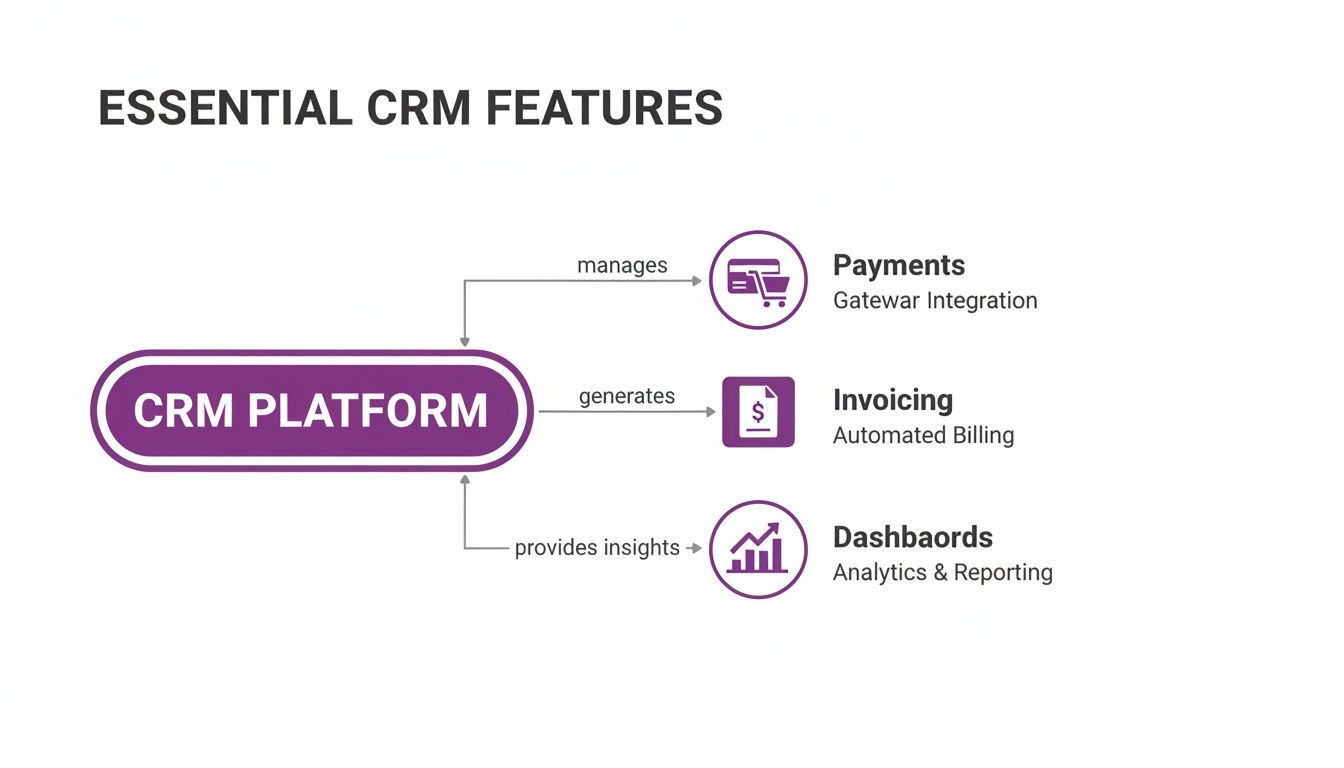
As the diagram shows, instant payment gateways, automated invoices, and up-to-the-minute dashboards all depend on this constant, real-time flow of data to do their jobs properly.
Staying on the Right Side of Security and Compliance
Beyond just making the tech work, any CRM with mobile money integration has to live and breathe within a strict regulatory world. This isn’t just a “nice-to-have”; it’s a legal requirement for anyone handling financial data. Keeping sensitive information locked down is everything, which is why platforms must follow some very serious security rules.
Here are a few of the big ones:
- PCI DSS Compliance: The Payment Card Industry Data Security Standard is the global rulebook for securing card information. If you process, store, or even just transmit card details, this applies to you.
- Data Encryption: All data—whether it’s zipping across the internet or sitting on a server—must be encrypted. This essentially scrambles the information, making it completely useless to anyone who shouldn’t have it.
- Local Financial Regulations: Every country has its own flavour of financial laws. This often includes stringent Know Your Customer (KYC) and Anti-Money Laundering (AML) checks to stamp out fraud and other illegal activities.
Trying to keep up with this tangled web of rules can feel like a full-time job for a business owner. This is where choosing a CRM provider that has already done the heavy lifting on security and compliance pays off massively. It takes that burden right off your shoulders so you can focus on what you do best: running your business.
On top of this, you’ll also need solid strategies for chargeback representment to protect yourself from the financial hit of disputed payments. For businesses that want a simpler path, finding a platform with pre-built connections is a smart move. Our guide on integrating your CRM with Paystack, for instance, shows just how much easier this all becomes when the integration is already done for you.
5. Seeing It in Action: Real-World Business Scenarios
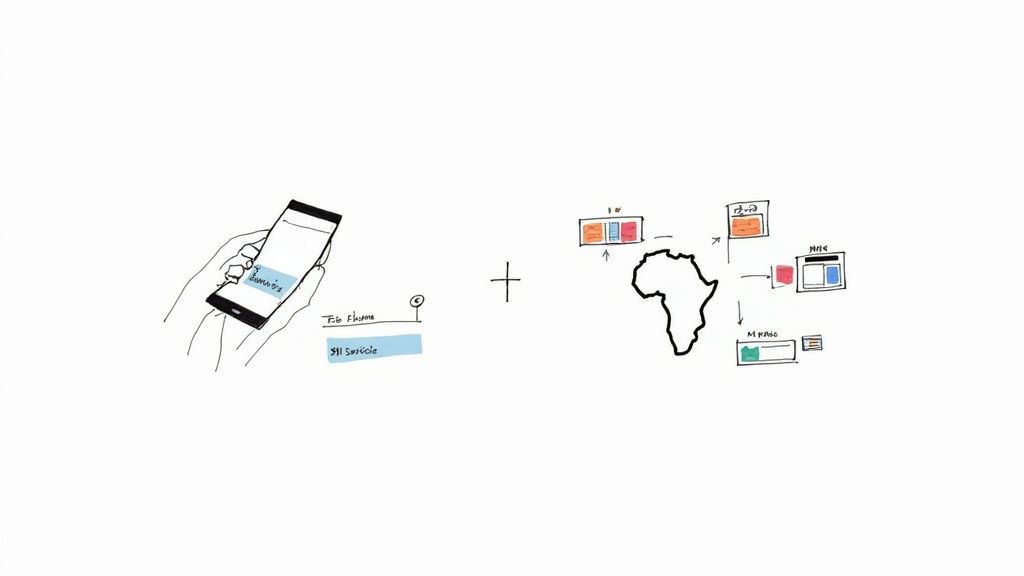
It’s one thing to talk about the benefits of a CRM with mobile money integration, but it’s another to see it solve real, everyday problems for businesses. That’s where the value truly clicks. These stories show how companies are using this tech to sharpen their efficiency, get paid much faster, and manage clients across different countries with far less friction.
Let’s step away from theory and walk through two practical scenarios.
Scenario 1: The Local Service Provider in Cairo
Picture a small IT support company in Cairo. Before they integrated their systems, their invoicing process was a manual, frustrating cycle. They’d finish a job, cobble together a PDF invoice, email it to the client, and then start the waiting game—endlessly refreshing their banking app to see if the payment had landed.
Now, with an integrated CRM, their workflow is unrecognisable.
The moment a technician flags a job as “complete” in the CRM, the system jumps into action. It automatically generates an invoice and pings the client an SMS with a direct payment link for Vodafone Cash or InstaPay.
With just a few taps, the client pays. Instantly, the CRM logs the payment, marks the invoice as “paid,” and sends an automated “thank you” SMS. A cycle that used to take days now takes minutes.
This kind of automation is becoming critical as Egypt’s digital payment world booms. Just look at Banque Misr, which saw a 120% year‑on‑year jump in QR code usage and expanded its network to roughly 640,000 electronic terminals. This explosive growth means a CRM can now tap into POS and QR data to offer things like real-time loyalty rewards, giving merchants a direct tool to boost customer retention. You can explore more on Egypt’s payment market over at Mordor Intelligence.
Scenario 2: The Pan-African Digital Agency
Now let’s imagine a digital marketing agency handling clients in Kenya, Nigeria, and South Africa. For them, multi-currency invoicing and juggling different payment methods was a massive operational headache. They were sinking hours every month into manual currency conversions and trying to reconcile payments from a dozen different platforms.
Their new CRM was built for this exact challenge.
When they invoice a client in Nairobi, the system creates the bill in Kenyan Shillings and offers an M-Pesa payment option. A client in Lagos gets their invoice in Naira with a Paystack link. Simple.
The real magic is what happens behind the scenes. The CRM handles every currency conversion and automatically reconciles each payment, no matter where it came from. This smooths out the entire process for the client and gives the agency a single, real-time snapshot of its finances across every market. We’ve written a whole guide on this, and you can learn more about CRM with M-Pesa integration here.
- Multi-Currency Invoicing: The CRM bills clients automatically in their local currency.
- Local Payment Rails: It accepts payments from all the key players, like M-Pesa and Flutterwave.
- Automated Reconciliation: Every payment is logged and balanced in one central dashboard. No more spreadsheets.
These examples get to the heart of the matter: plugging mobile money into your CRM isn’t just some technical tweak. It’s a fundamental shift that solves real-world business pains, making your operations cleaner, smarter, and ready to scale.
6. Your Step-By-Step Integration Roadmap

Making the switch to a CRM with mobile money integration doesn’t have to be a massive headache. The key is to break it down into smaller, manageable stages. Think of it less like a giant leap and more like a clear, step-by-step path to a much more efficient business.
This roadmap will walk you through everything from the initial analysis to a successful launch. Let’s get you and your team prepped, your data secured, and this powerful tool working for you.
Step 1: Analyse Your Current Payment Process
Before you even think about new software, you need a crystal-clear picture of how you get paid right now. Map out the entire journey, from sending an invoice to the moment that money actually hits your account.
A study from Salesforce found that sales reps often spend a measly 28% of their time actually selling. The rest? It gets eaten up by admin tasks. This insight really shows how crucial it is to find your own bottlenecks.
Ask yourself:
- Where are the frustrating delays?
- How many hours are wasted on manually matching payments to invoices?
- Which steps are a pain for your team and your clients?
Getting honest answers here will show you exactly what problems the new system needs to solve.
Step 2: Select the Right CRM Partner
With a solid understanding of your weak spots, you’re ready to start shopping. Revisit those essential features we talked about, like pan-African payment support and automated invoicing. It’s smart to prioritise platforms that already have localised integrations for providers like M-Pesa or InstaPay baked right in.
Choosing a CRM partner with ready-made connections drastically cuts down on technical drama and shortens your timeline. You get to focus on your business strategy, not get stuck in the weeds of custom coding.
Step 3: Prepare for a Smooth Data Transition
Your existing client and payment history is gold. Before moving anything over, it’s time for a spring clean. This means getting all your contact information standardised, updating account statuses, and making sure every financial record is accurate.
A clean dataset from the get-go is non-negotiable. It’s what allows the new system to work its magic from day one.
Step 4: Empower Your Team and Launch
Great tech is useless if no one knows how to use it. Don’t skimp on training. Make sure everyone on your team understands the new way of doing things. Show them firsthand how this integrated system makes their lives easier, from creating an invoice with a click to seeing payments show up automatically.
Once your team is comfortable and confident, it’s time to go live. If you can, start with a small pilot group to iron out any kinks, then roll it out to the rest of the company. That’s the recipe for a smooth, company-wide adoption.
7. Have Questions? We Have Answers.
Whenever you’re looking at bringing a new system into your business, a few questions are bound to pop up. It’s only natural. Let’s tackle some of the most common ones we hear about CRMs with mobile money built-in, so you can move forward with confidence.
Just How Secure Is Mobile Money in a CRM?
This is usually the first question people ask, and for good reason. Any reputable CRM puts security front and centre. We’re talking end-to-end encryption and compliance with global standards like PCI DSS to keep financial data locked down tight.
Good platforms also use a clever process called tokenisation. Instead of storing your actual sensitive data, the system swaps it with a non-sensitive equivalent (a ‘token’). This means real account details are never left exposed on a server somewhere.
Can I Connect My Existing Mobile Money Merchant Account?
More often than not, yes. Modern CRMs are built to play nicely with the major mobile money providers across the continent. You’ll typically just need your merchant details or API keys to link your existing account through the CRM’s payment settings. This makes getting set up a whole lot faster.
What’s the Real Difference Between an API and a Webhook?
It’s easy to get these two mixed up. Let’s break it down with an analogy.
Think of an API as you calling the restaurant to ask, “Is my order ready yet?” You have to initiate the request to get an update. A webhook is like the restaurant sending you an automatic text message the second your food is ready for collection. It pushes the update to you instantly, without you having to ask.
For a seamless, automated system that keeps your records up-to-the-minute, you really need both. The API lets your CRM ask for information on demand, while the webhook ensures you get critical updates—like a completed payment—the moment they happen.
How Long Does It Actually Take to Get Integrated?
This can vary quite a bit. If you pick a CRM that already has a pre-built connection to your payment provider, the technical part could be done in just a few hours.
But the full process—including moving your client data over and getting your team comfortable with the new system—can take anywhere from a few days to a couple of weeks, depending on how complex your business is. It’s worth getting this right. A Salesforce study found that sales reps often spend only 28% of their time actually selling, which shows just how critical it is to nail the transition and cut down on admin headaches.
Ready to stop chasing payments and start growing your business? CRM Africa combines invoicing, project management, and pan-African payment integrations into one free platform. Schedule your free consultation or demo today!